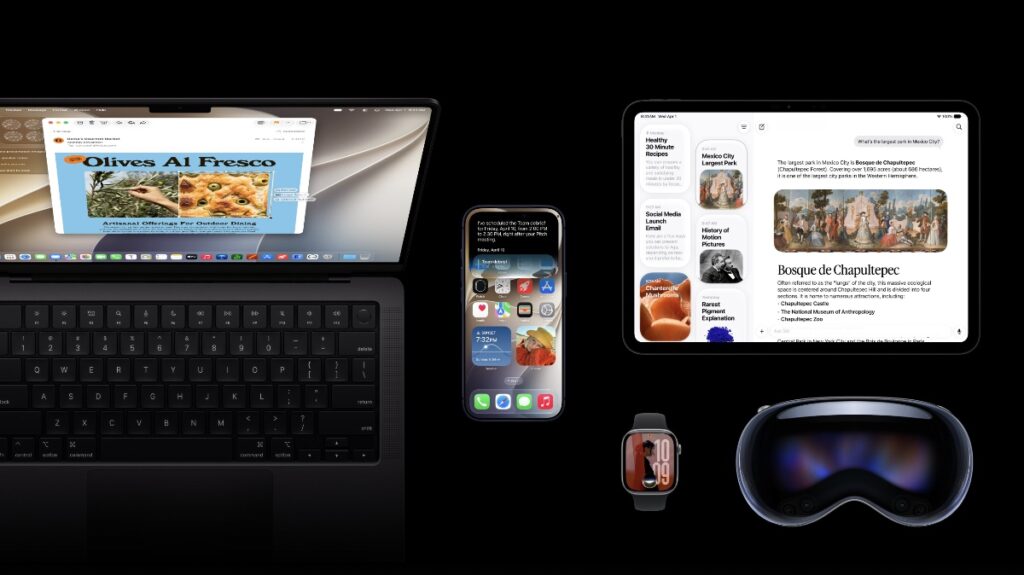

Apple has officially announced macOS 27 Golden Gate, watchOS 2a7, and visionOS 27. Here are all the noteworthy features.
macOS 27 Golden Gate, watchOS 27, and visionOS 27 Are All About Siri AI and Consistent Features Across the Board
If you’ve already read about iOS 27 and iPadOS 27, then you already know what to expect from macOS 27 Golden Gate, watchOS 27, and visionOS 27. Because this year, Apple is focusing on Apple Intelligence and the new Siri AI.
In this quick roundup, I’m going to focus on key features of macOS 27, watchOS 27, and visionOS 27, so you know exactly what you can expect later this year.
macOS 27 Golden Gate – Every Key Feature
Right off the bat, the macOS 27 Golden Gate update features the new Siri AI. In order to access it, all you have to do is bring up Spotlight search and type away your command. Since it uses natural language to understand you, you can create emails, contacts, reminders, and so much more in detail which was not possible before.
The new dedicated Siri AI app is also present, allowing you to keep track of all your chats in one place. And if you have an iPhone or iPad, it keeps everything in sync as well in order to keep the conversation going across devices.
Apple is also bringing Liquid Glass improvements to the Mac, including performance improvements, ensuring that your older Mac runs even better compared to macOS 26.
Apple Intelligence lives in places like Safari, and it helps with things like grouping tabs into topics. It even works in the Passwords app, ensuring that your weak and compromised passwords are upgraded for peace of mind.
The usual Clean Up, Extend, and Reframe features are present in the Photos app, as well as an improved version of Image Playground. And if you’re into Shortcuts, then you will be pleased to learn that you can now create them by simply using word prompts.
If you want to learn everything about macOS 27 Golden Gate, be sure to head over to this link.
watchOS 27 – New Features, Mostly Siri
Thanks to the new Siri AI, watchOS 27 makes the Apple Watch way more useful than before. Because now you get access to the dedicated Siri app, allowing you to continue your conversations with AI right on your wrist.
Liquid Glass improvements are there as well, ensuring that icons and text remain readable no matter what the background. This is extremely important, especially when you consider the small display of Apple Watch.
There’s a new dynamic app grid in watchOS 27 that shows you your popular and recently-used apps. And in the center of it all is Siri itself, ready to take all your commands and questions.
Workout Buddy offers improved motivation and insights based on the data it collects over time. If you’re into fitness and wanted AI to add more some flare to it, then Apple is definitely delivering this year.
Apple is bringing a new tap gesture to Apple Watch. Just tap your index finger and thumb once, and you’ll select a widget in the Smart Stack. Once you do that, you’ll instantly see information that’s relevant to you.
Apple is unifying the Find My experience on Apple Watch by merging Find Devices, Find People, and Find Items together. It finally makes more sense now.
You can learn more about watchOS 27 by going here.
visionOS 27 – Siri, and More Siri
visionOS 27 puts Siri front and center. Not only you get the dedicated Siri app and Apple Intelligence features like other platforms, but you get the coolest way to interact with Siri of all platforms.
There’s a floating Siri AI orb which you can place anywhere you like in your spatial environment. In order to interact with it, just look at the orb and start talking. It’s as simple as that.
But wait, it gets even better. Since you’re looking at your surroundings using cameras on Vision Pro, you can just look at stuff around you and ask questions about it. This is the kind of feature that shines perfectly on Vision Pro.
And of course, there’s the new Image Playground app, AI in Safari, Passwords, and the usual stuff from all other platforms, including improvements to the visionOS UI.
Want to learn more about visionOS 27? Head over to this link.