
Here’s how you can install the new watchOS 26.1 RC update on the Apple Watch with build number 23S36 right now.
watchOS 26.1 RC Now Available to Download and Anyone with Apple Watch Can Install it Today
RC updates are always a sigh of relief because you know you’re just a week away from final release. But if you’re already testing out the beta as a developer or a public beta tester, then the update is available for you a week early.
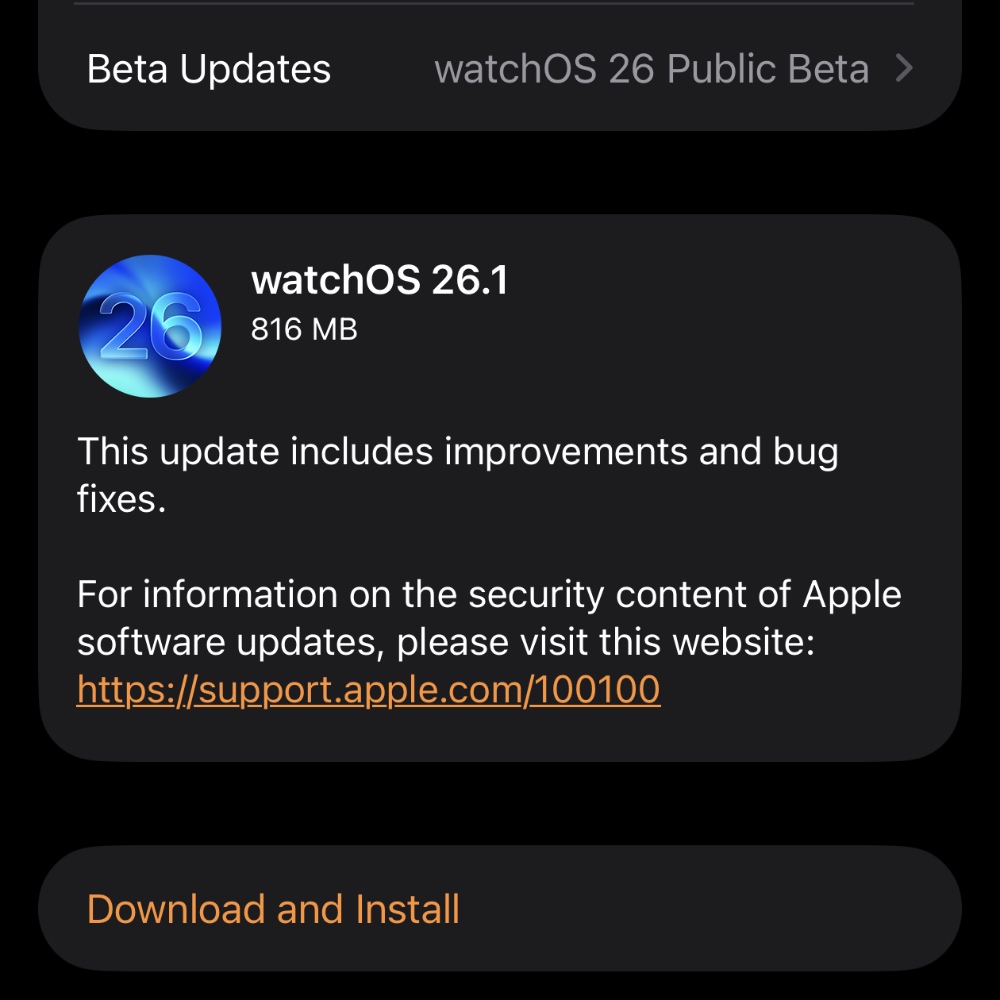
In the case of watchOS 26.1, all you have to do is go to Watch > General > Software Update on your iPhone and download the latest watchOS 26.1 RC update from here. Just make sure you place your Apple Watch on its magnetic charger while you’re at it.
According to Apple, these are the release notes for watchOS 26.1:
This update includes improvements and bug fixes.
For information on the security content of Apple software updates, please visit this website:
https://support.apple.com/100100
However, anyone can download and install the new watchOS update on the Apple Watch. All it takes is signing up for the public beta by first going to beta.apple.com. Once on the website, sign up using your Apple Account.
Now on your iPhone, go to Watch > General > Software Update > Beta Updates. Over here, select watchOS 26 Public Beta. Just go back to Software Update, and the moment you see watchOS 26.1 RC, tap on the Download and Install button.
Since this is the final version of the software that will be released to everyone next week, it’s absolutely risk-free to download and install. It is the most stable version of the software, and you don’t have to worry about something going wrong at all.