



Apple has seeded macOS 15.6 Sequoia beta 1 to registered developers and anyone can download it right now.
Apple Releases First Developer Beta of macOS 15.6 Sequoia to Developers, Test Drive it Today on Your Mac
Just like iOS 18.6 and iPadOS 18.6, anyone can go right ahead and download the new macOS 15.6 beta update.
In order to do that, you just have to sign up for the Apple Developer Program using your current Apple Account. Just sign up here and you’ll be good to go.
Once signed up, launch System Settings on your Mac, click on General on the left, then click on Software Update on the right. When you see Beta Updates, click on the (i) button next to it.
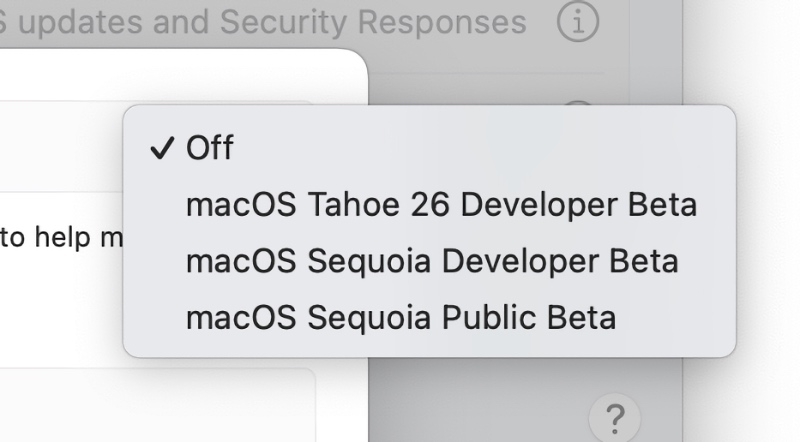
You’ll see a bunch of options here. Just select macOS Sequoia Developer Beta from the drop-down menu and then click on Done. Make sure you select the correct one, because macOS Tahoe is also available for download.
After a few seconds, the new macOS 15.6 beta update will show right up. Click on the Update Now button next to it, and you will be running the latest beta in no time.
It’s unclear what this new update brings to the Mac in terms of features. If it adds something noteworthy, I’m going to highlight it in a dedicated list of features. Until then, it’s safe to assume it’s just a bug fix and security update.




