


You can now download and install the new public beta firmware update on your AirPods Pro 2 and AirPods 4 using your iPhone, iPad, and Mac.
New AirPods Pro 2 and AirPods 4 Public Beta Now Available to Download with Sleep-Pause, Camera Remote Features, and More
This is the first time a firmware update for AirPods is available to download for public beta testers.
This is the same update which Apple announced at WWDC 2025, which brings a handful of great features to AirPods 4 and AirPods Pro 2, including the fantastic sleep-pause feature which I can’t wait to use.
While this new update is set for release later this year, you can test it out right now if you’re a developer (download guides: iPhone, iPad, or Mac) or as a public beta tester.
Since I’ve covered how to download the AirPods beta as a developer, here’s how you can download it as a public beta.
Sign up for the Public Beta
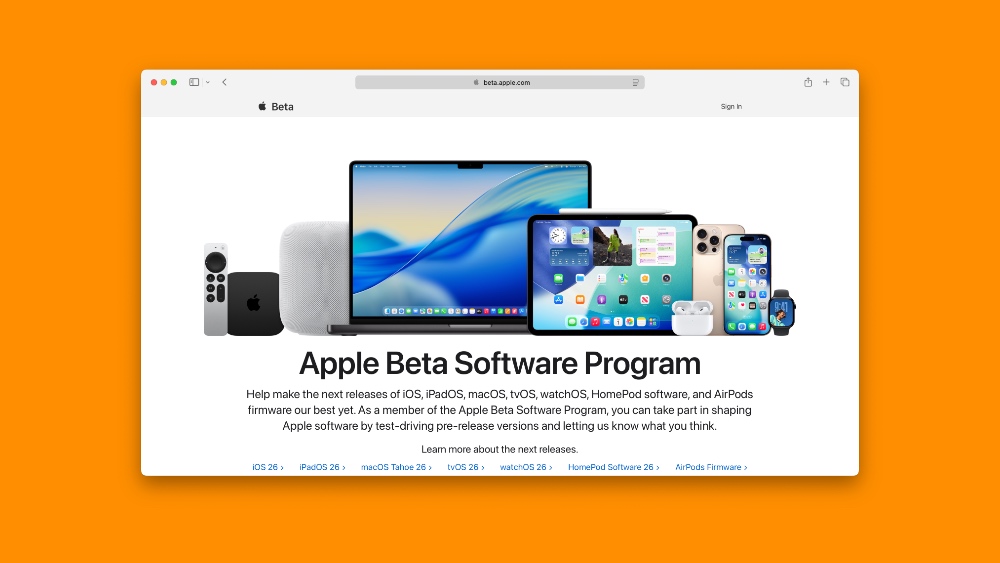
Using Safari, open up beta.apple.com and log in using the Apple Account which is tied to your iPhone, iPad, or Mac. Once this is done, you will start seeing AirPods public beta firmware updates.
Download iOS 26, iPadOS 26, or macOS 26
There’s no way around this at all. You need an iPhone or iPad running iOS 26 or iPadOS 26, or a Mac running macOS 26 Tahoe. You can either download the iOS 26 or iPadOS 26 developer or public beta, or the macOS 26 Tahoe developer or public beta.
Enable and Download AirPods Public Beta Firmware on iPhone and iPad
Step 1. Connect your AirPods Pro 2 or AirPods 4 to your iPhone or iPad.
Step 2. Launch the Settings app.
Step 3. Right at the top you will see a new ‘AirPods’ section. Tap on it to open.
Step 4. Scroll all the way down and find the AirPods Beta Updates section and enable the public beta from here.
Download AirPods Public Beta Firmware Using a Mac
Step 1. Connect your AirPods to your Mac.
Step 2. Click on System Settings.
Step 3. Scroll all the way down and find the AirPods section. Click to open it up.
Step 4. At the top you’ll see AirPods Beta Updates switch. Click to enable it.
The update will download in the background and install on its own when your iPhone, iPad, and Mac think it’s the right time. However, you can force the update onto your AirPods. You will find the details on it here.




