



Today I will show you how to create polls in the latest Messages app in iOS 26, iPadOS 26, and macOS 26 Tahoe on iPhone, iPad, and Mac.
iOS 26, iPadOS 26, and macOS 26 Tahoe Finally Brings Polls to the Messages App
With iOS 26, iPadOS 26, and macOS 26 Tahoe, you can finally create polls, allowing everyone to vote on multiple options. And Apple has made sure that this feature is easy to use across its devices as well.
Whether you’re using an iPhone, iPad, or Mac, the process for creating polls is exactly the same. So, I’ll just pick up my iPhone and show you how to create a poll in a few easy steps:
Step 1. Launch the Messages app.
Step 2. Open an iMessage thread.
Step 3. Tap on the + button on the left of the text box.
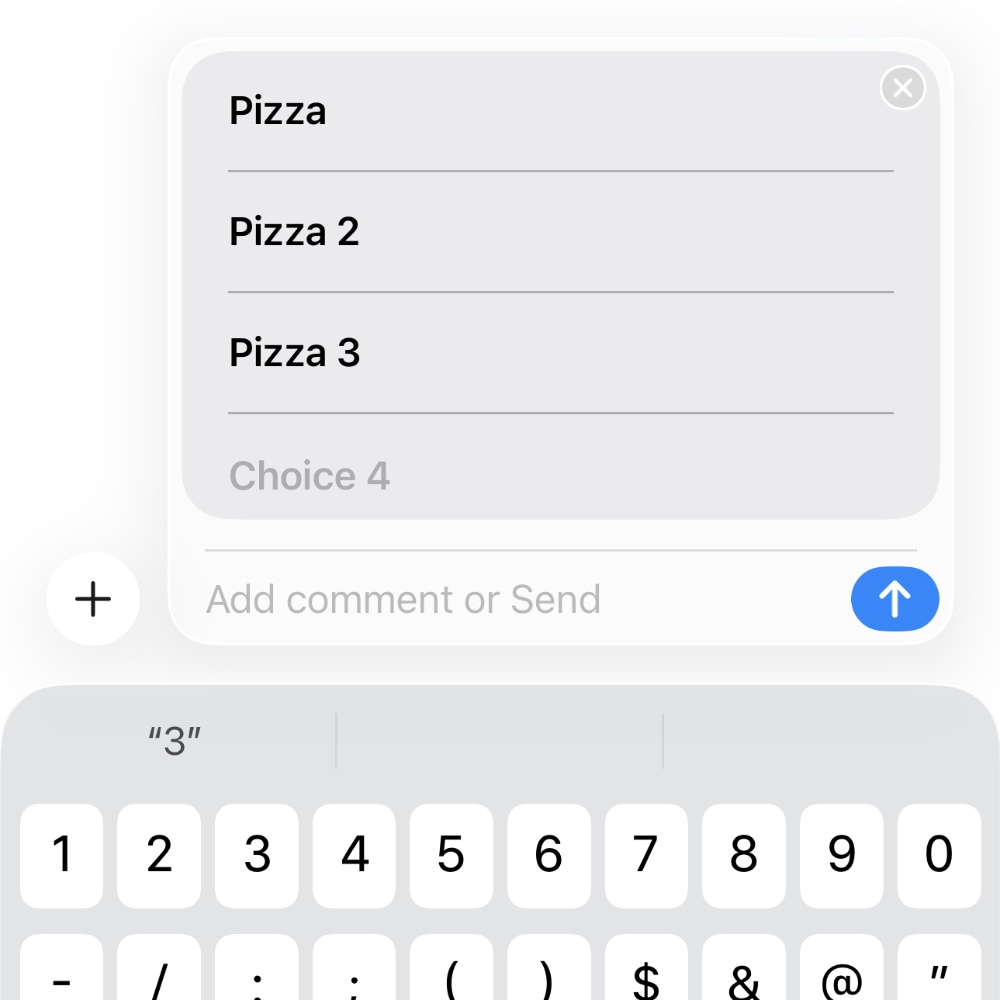
Step 4. Tap on Polls, and you’ll immediately see a box with three text entry options. Start filling all of them and it all automatically show you the fourth one. Want more? Just fill in the fourth one as well.

Step 5. Hit the send button once done and everyone can start voting.
Polls make the most amount of sense in a group conversation and that’s exactly where I would recommend using them as well.




