
Is your YouTube app on iPhone and iPad constantly crashing? Google says you need to reinstall the app.
Delete and Reinstall the YouTube App on iPhone and iPad in Order to Fix All Crashing Issues
All of a sudden, iPhone and iPad users started to notice that their YouTube app was crashing and starting to feel unresponsive.
Google has issued an update for the YouTube app, but many iPhone and iPad users noticed that it does not fix the issue. And they’re right to point that out.
Turns out, you have to delete the app from your iPhone and iPad, then reinstall it in order to fix the issue completely. Yes, that sounds like a lot of work, but if you want the YouTube app to work perfectly, this is what you need to do, according to Google.
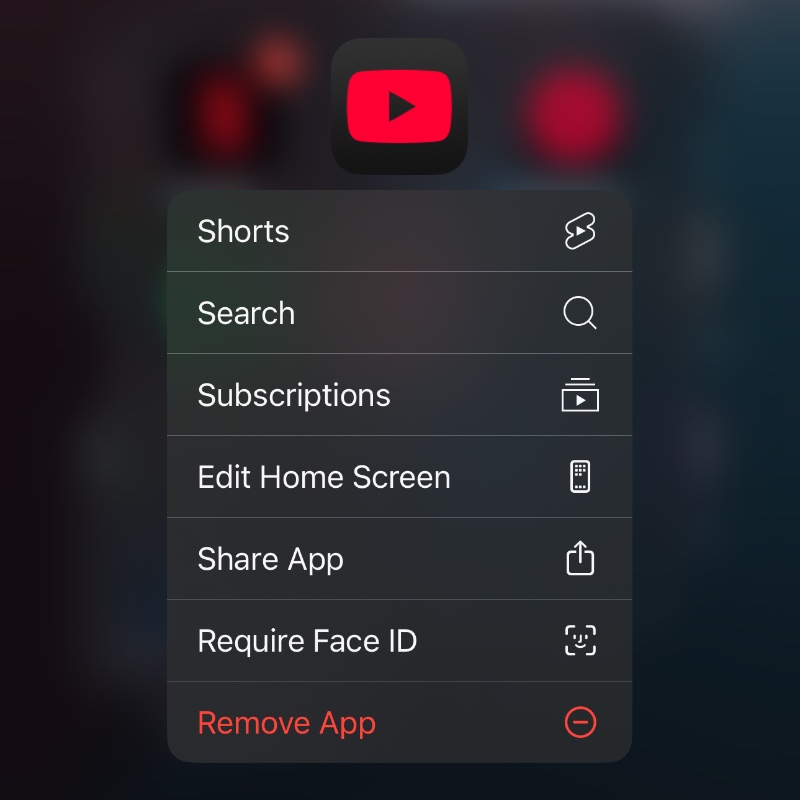
Just tap and hold on the YouTube app icon and select Remove App. Once you do that, you can reinstall it from the App Store.
Once this is done, your YouTube app will start to work normally.