
Enjoy the glassy look on your iPhone Lock Screen with the Frosted Glass wallpapers, absolutely free.
Get the Frosted Glass Look and Feel on Your iPhone Lock Screen with Two Free Wallpapers
WWDC 2025 is done and dusted, and we can get on with our lives normally, except that things are going to be glassy going forward.
The official iOS 26, iPadOS 26, and macOS 26 Tahoe wallpapers are already available for download with a glassy look, so I decided to do my take on glass and kept things frosty.
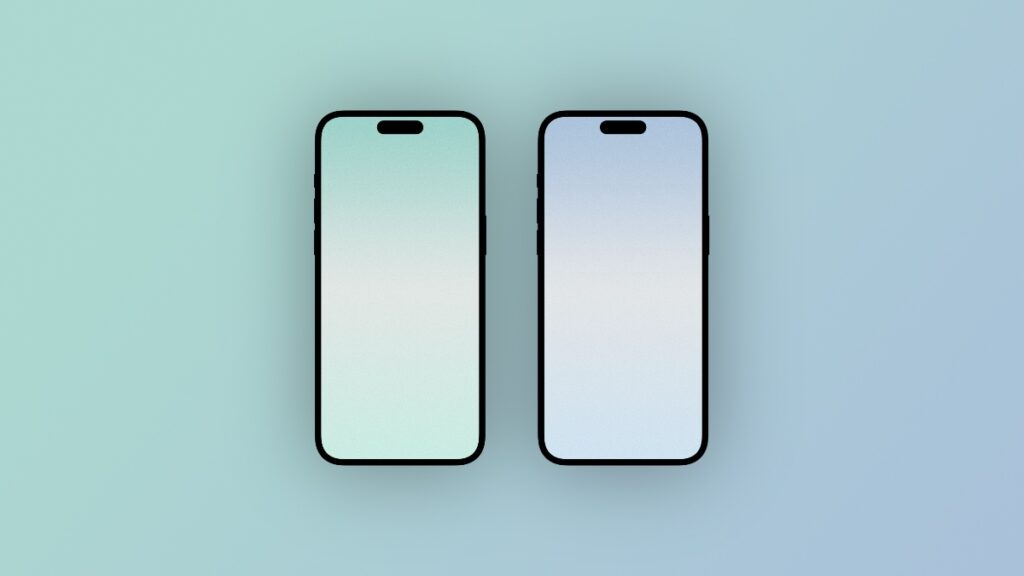
There are two wallpapers in the Frosted Glass pack, and each comes with a different tint. One is teal, while the other leans towards blue.
The fine grain on the wallpaper adds to that frosted look, and it looks great on a large iPhone display like the iPhone 16 Pro Max.
You can always change the tint of the wallpaper using the photo editing app of your choice. Just download anything with a hue/saturation slider in it, and get creative.
This is also the first wallpaper after WWDC 2025 which I’m making from scratch, so it feels good to create something for my audience. I hope you guys dig it.
You can download the wallpapers in full quality by going to this link.
And oh, before you head out, check out my Wallpapers section. I try to post as regularly as possible and you’ll definitely find something interesting.