
iOS 18.5 and iPadOS 18.5 is now available to download for iPhone and iPad. The IPSW firmware files are available too.
iOS 18.5 and iPadOS 18.5 Now Available for Download with New Pride Harmony Wallpapers, Bug Fixes and Security Updates
The RC version of iOS 18.5 and iPadOS 18.5 was released last week, and it was only safe to assume that the final version would be released the week after.
So, a week later the full and final version of the update is available for download to those who are not developers or public beta testers.
Before we go ahead, you should know what is new in this update. And quite frankly, there isn’t much, apart from the new Pride Harmony wallpapers. If you’re interested in knowing about it anyway, be sure to check out this post.
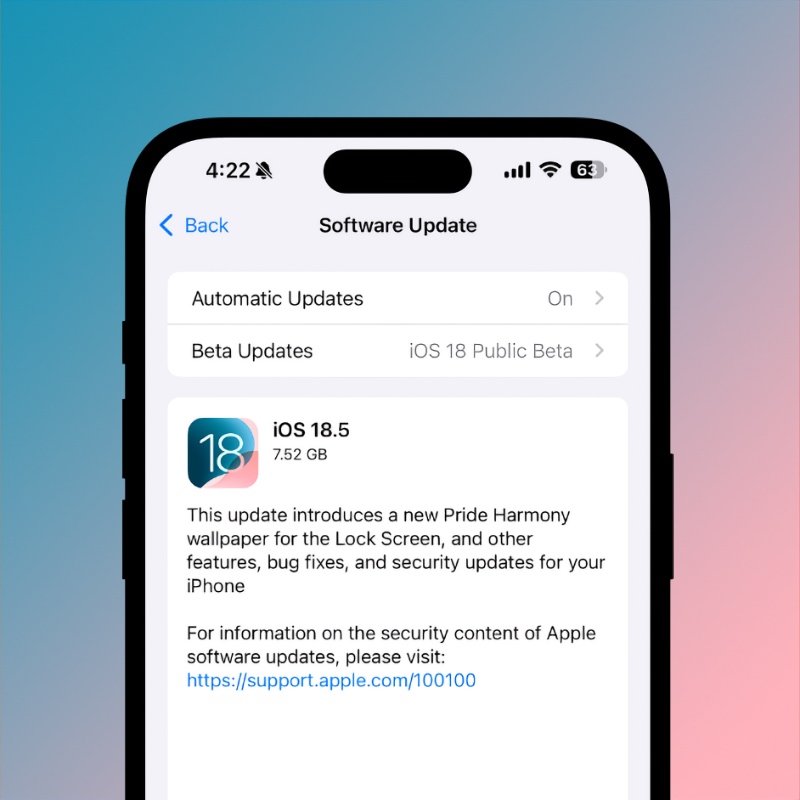
With that out of the way, let’s get to the best part of a software update – download and install.
In order to do that, just launch the Settings app, go to General > Software Update. When the new iOS 18.5 or iPadOS 18.5 update shows up on your device, tap on Update Now.
You do have the option to clean install the new updates. I’ve done a tutorial on it that’s super easy to understand. Be sure to check it out here.
If you’re looking for the iOS 18.5 or iPadOS 18.5 firmware files, you can get them from the links below. They’re useful for clean installation, although unnecessary if you have a fast internet connection.
- iPhone 16e
- iPhone 16 Plus
- iPhone 16
- iPhone 16 Pro Max
- iPhone 16 Pro
- iPhone 15 Pro Max
- iPhone 15 Pro
- iPhone 15 Plus
- iPhone 15
- iPhone 14 Pro Max
- iPhone 14 Pro
- iPhone 14 Plus
- iPhone 14
- iPhone SE (3rd-generation)
- iPhone 13
- iPhone 13 mini
- iPhone 13 Pro Max
- iPhone 13 Pro
- iPhone 12 Pro Max
- iPhone 12, iPhone 12 Pro
- iPhone 12 mini
- iPhone SE (2nd-generation)
- iPhone 11 Pro, iPhone 11 Pro Max
- iPhone 11
- iPhone XR
- iPhone XS, iPhone XS Max
- iPad mini 7 with A17 Pro
- iPad Pro 11-inch (M4), iPad Pro 13-inch (M4)
- iPad (A16)
- iPad Air 11-inch (M2), iPad Air 13-inch (M2)
- 11-inch iPad Pro (4th-generation), 12.9-inch iPad Pro (6th-generation)
- iPad Air (5th-generation)
- 10.2-inch iPad (10th-generation)
- 11-inch iPad Pro (3rd-generation), 12.9-inch iPad Pro (5th-generation)
- iPad mini (6th-generation)
- 10.2-inch iPad (9th-generation)
- iPad Air (4th-generation)
- 10.2-inch iPad (8th-generation)
- iPad mini (5th-generation), iPad Air (3rd-generation)
- 11-inch iPad Pro (1st and 2nd generations), 12.9-inch iPad Pro (3rd and 4th generations)
- 10.2-inch iPad (7th generation)
If you are running the RC build, you will be surprised to learn that the final version has a different build number. Make sure you update your device to the latest build by going to Settings > General > Software Update.