Apple has just released macOS 15.5 Sequoia RC update for developers and testers, but here’s how anyone can download and install it.
macOS 15.5 Sequoia RC Now Available for Testers, But Anyone Can Download and Install it
Whenever Apple releases RC or final version of its software, it feels like payday. Today, macOS 15.5 Sequoia RC is available for download, and if you have a previous beta install, you can download it immediately.
In order to do that, just launch System Settings, click on General on the left, and then click on Software Update on the right.
The RC update will show up after a few seconds, and all you have to do is click on the Update Now button.
Not testing anything and still want to download the macOS 15.5 Sequoia RC? Just follow these steps:
Step 1. Open the following website in Safari: beta.apple.com
Step 2. At the top right you’ll see the Sign In button. Click on it and then sign in using the same Apple Account you’re using on your Mac.
Step 3. Once enrolled, launch System Settings > General > Software Update. Click on the (i) button next to Beta Updates.
Step 4. Choose macOS 15 Sequoia Public Beta from the list of available options.
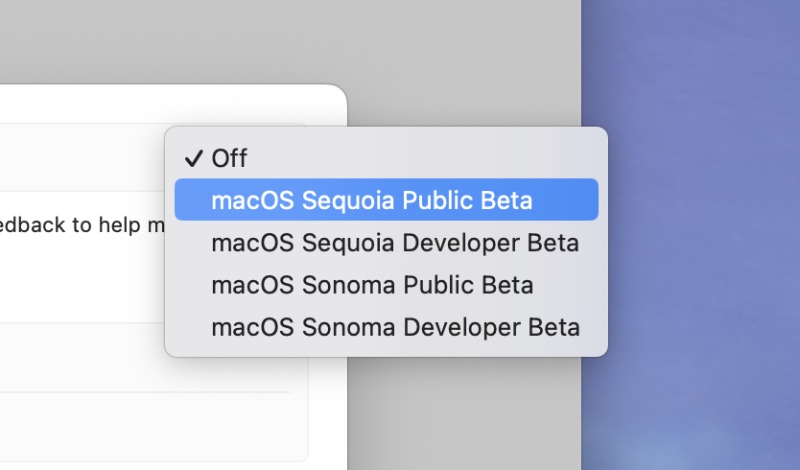
Step 5. Once this is chosen, you’ll immediately see macOS 15.5 RC available for download. Click on Update Now next to it.
macOS 15.5 does not bring anything new to the Mac. It focuses on fixing bugs and installing new security updates, which are vital for the functioning of your computer on a daily basis.