

Google Earth has rolled out a new ‘Flight Simulator’ feature on the web, and you can access it in Safari with just a few taps or clicks.
Flight Simulator Mode in Google Earth Makes Exploring Fun, Access it from Safari Today and Fly Around
Google Earth has always been a great way to explore new places from high above, but wouldn’t it be great if you could fly like a plane above your favorite spot, or maybe even your house?
With the new Flight Simulator mode on Google Earth, you can do exactly that. Just punch in the name of your location and you’ll be flying like a bird in no time. And you don’t need to download anything either as it all happens on the web, or more specifically, in Safari.
Here’s what you have to do in order to access it:
Step 1. Open the Google Earth website by tapping or clicking on this link.
Step 2. Type in the name of a city or country in the search box at the top and press Return.
Step 3. Now open Tools at the top.
Step 4. At the bottom you’ll see Flight Simulator with a little plane next to it. Just tap/click on it.
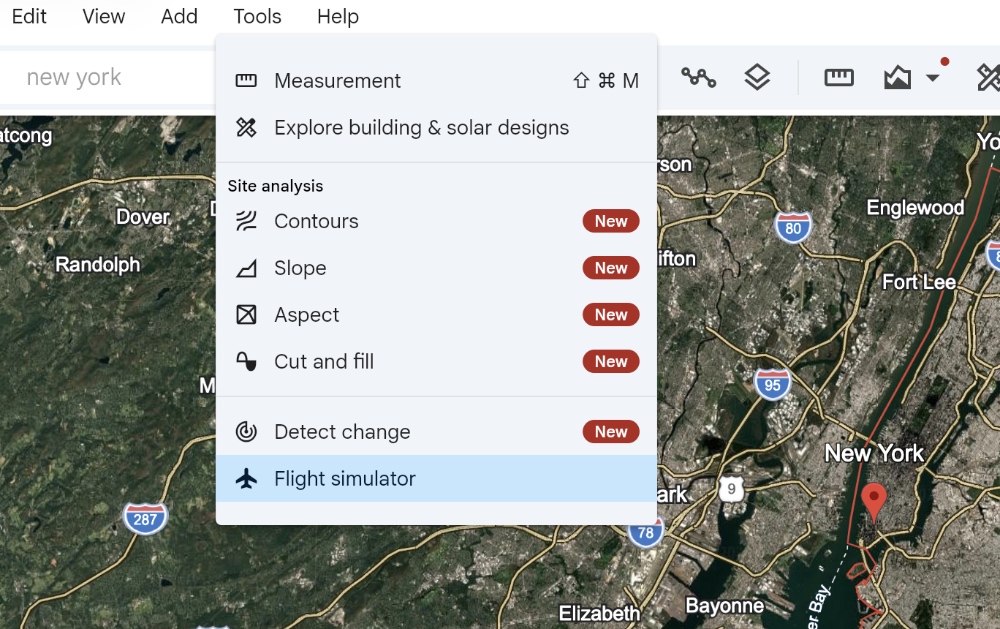
When you do this, you’ll immediately see the HUD and jump into Flight Simulator mode.
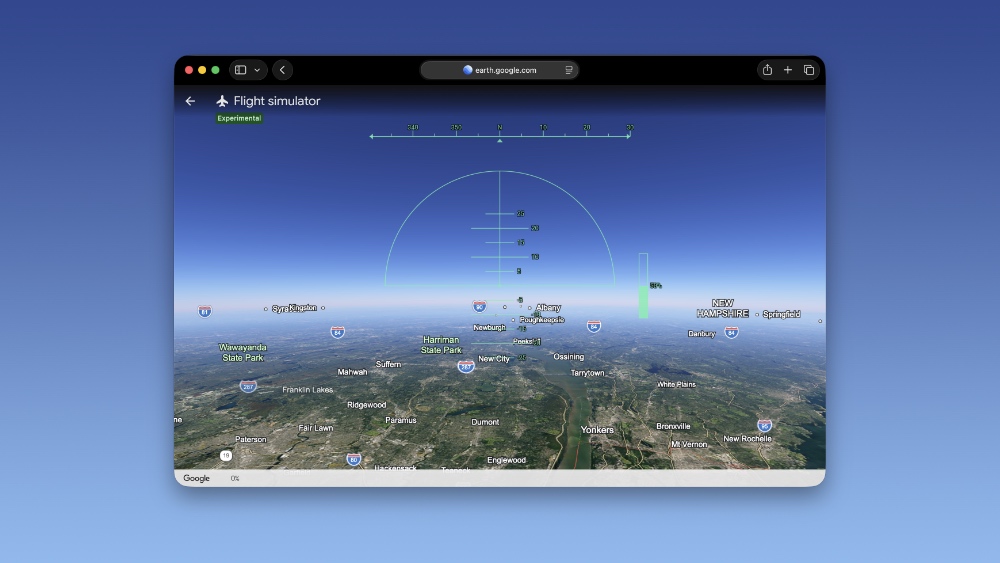
Controls are very simple, and you can control your ‘plane’ using the arrow keys on your keyboard. If you’re using the Flight Simulator on iPad, you can simply swipe on the display to fly around.
My only complain with this mode is the lack of a third-person view, nothing else. This is really a fun little feature, and it will be epic if you can just see the plane you’re flying from a slight distance rather than a boring HUD view from the cockpit.