
Don’t want the new Instants feature in your Instagram messages inbox? Here’s how you can disable it in a few easy steps.
You Can Easily Disable the Newly Launched Instagram Instants Feature in Your Messages Inbox on iPhone
Most people will agree that we do not need a new method of sharing content on Instagram just yet. With Instants appearing out of nowhere, users may find the new feature a little annoying as it casually hangs around in your messages inbox.
In case you haven’t noticed it, I’m talking about the new ‘+’ button that’s creeping into your messages inbox from the bottom right corner. You might even see images being shared by your friends as well, and you can share them back too, if you like.
But, the reason this tutorial exists is simple: you don’t want Instants around, and you wish to disable it. Here’s what you have to do on your iPhone in order to do exactly that:
Step 1. Launch the Instagram app.
Step 2. Tap on your profile button at the bottom right corner.
Step 3. Tap on the hamburger menu at the top right which will take you to the ‘Settings and activity’ page.
Step 4. Scroll down and find ‘Content preferences’ and then open it.
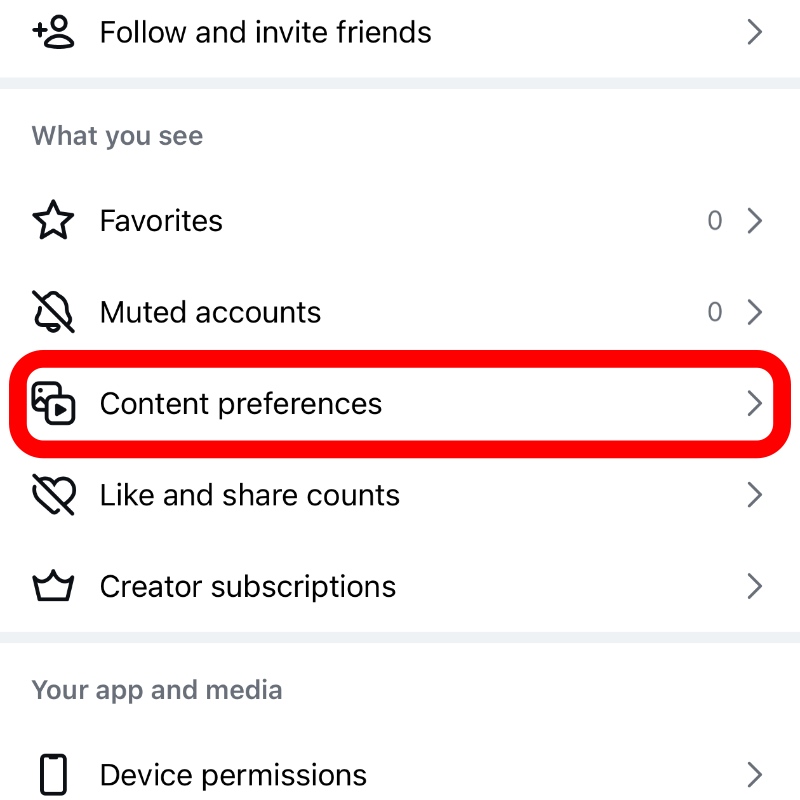
Step 5. At the very bottom you’ll see an option called ‘Hide instants in inbox.’ Just select to enable it as shown in the screenshot below.
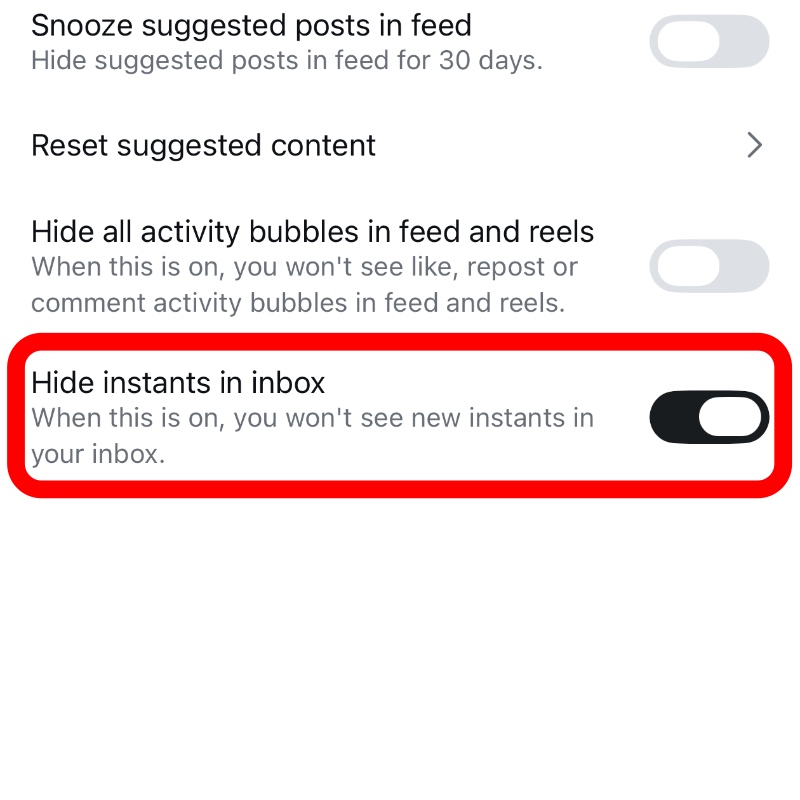
That’s all you had to do in order to disable Instants in your messages inbox. You can double-check by simply going to your inbox right after enabling the toggle switch.
For me, Stories, Reels, and (maybe) the main feed is more than enough for consuming content on Instagram. I really don’t want to go through the trouble of checking out Instants as well.
While I’ve not disabled the feature on my end, but I’m sure that I’ve missed a lot of content posted there, simply because I don’t want a new feed to check out.