

Your iMac and MacBook have a built-in ring light feature to make your face look brighter during a FaceTime call. Here’s how you can use it.
Edge Light in macOS 26.2 Tahoe Solves the Ambient Lighting Issue in a Very Clever Way on the Mac
You’ll never find yourself in a brightly lit environment all the time. Sometimes, it’s dark around you, and you look like a silhouette to the other person on a FaceTime call.
Sure, you can turn the lights on, but that’s not always an option, especially if it’s late at night. What if you got yourself a ring light instead? No need, because that ring light is built into your Mac, thanks to the magic of the latest macOS software.
Edge Light Solves Everything
If you are currently running the macOS 26.2 Tahoe update, you get a new feature called Edge Light, that illuminates the sides of the display on demand, making you look brighter. The interesting thing is, it works very well, and it’s the perfect FaceTime feature.
In order to use this feature, all you have to do is launch the FaceTime app, and you’ll see the green camera icon in the menu bar. Click on it, and then click on Edge Light. You can even adjust the warmth and brightness of the light from here as well.
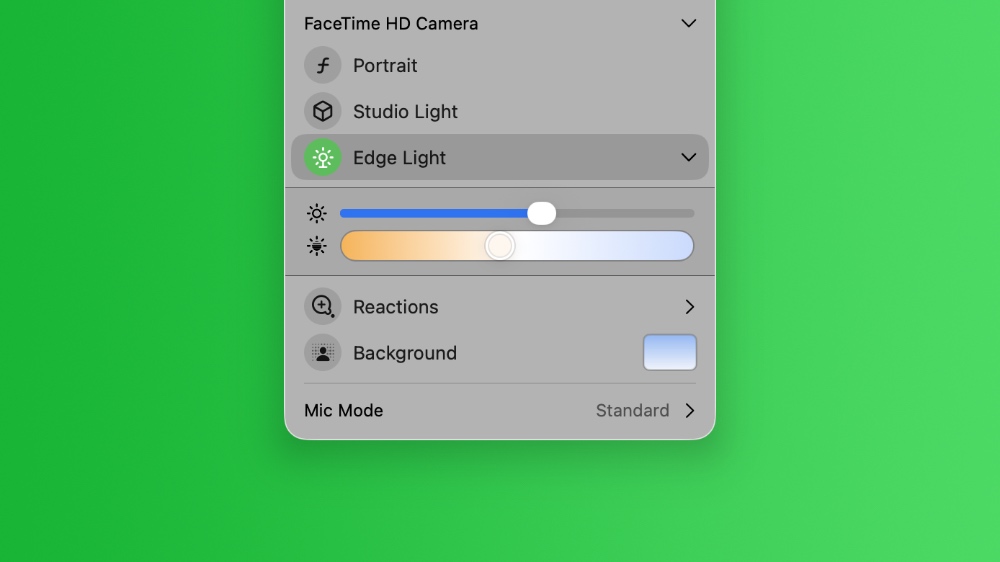
Edge Light does not hide the contents of your display either. Move your mouse cursor over it, and it will reveal everything underneath it. It’s a well-thought-out feature and one everyone should use.
I tested the feature on my MacBook Air and iMac, and I like it more on the iMac. The larger display offers more area for the feature to work, which results in a brighter light effect. You can get the same effect on the MacBook Pro and MacBook Air too, as long as you don’t mind pushing the brightness way too high.
Also, this feature isn’t just limited to FaceTime. If you use any app that makes use of the built-in camera on your Mac, you’ll see the green camera icon in the menu bar. Just select Edge Light using the steps above, and you’ll be good to go.