


Today I will show you how you can sign up for the iOS 26 and iPadOS 26 public beta for iPhone and iPad.
iOS 26 and iPadOS 26 Public Beta Download Coming Next Week, Sign up for it Today and be Prepared Ahead of Time
The first public beta of iOS 26 and iPadOS 26 is likely coming next week. Before it even arrives, it’s best to take necessary steps right now, so that you are well prepared in advance.
Check Device Compatibility
The public beta has the same device requirement as the developer beta, which means if your device is in the official list, you can test out the public beta when it comes out next week.
These are the iPhones compatible with iOS 26:
- iPhone 16, iPhone 16 Plus
- iPhone 16 Pro, iPhone 16 Pro Max
- iPhone 16e
- iPhone 15, iPhone 15 Plus
- iPhone 15 Pro, iPhone 15 Pro Max
- iPhone 14, iPhone 14 Plus
- iPhone 14 Pro, iPhone 14 Pro Max
- iPhone 13, iPhone 13 mini
- iPhone 13 Pro, iPhone 13 Pro Max
- iPhone 12, iPhone 12 mini
- iPhone 12 Pro, iPhone 12 Pro Max
- iPhone 11, iPhone 11 Pro, iPhone
These are all the iPad models compatible with iPadOS 26:
- iPad Pro (M4)
- iPad Pro 12.9‑inch (3rd generation and later)
- iPad Pro 11‑inch (1st generation and later)
- iPad Air (M3)
- iPad Air (M2)
- iPad Air (3rd generation and later)
- iPad (A16)
- iPad (8th generation and later)
- iPad mini (A17 Pro)
- iPad mini (5th generation and later)
You can confirm your device model by going to Settings > General > About > Model Name at the top.
Sign up for Apple’s Public Beta Program
You have to go to Apple’s public beta website, and sign up using your Apple Account. It’s the same account you’re using on your iPhone and iPad, nothing else.
Launch Safari, go to beta.apple.com, tap on the drop-down menu button at the top, and then tap on Sign In. You can sign up for this using your Mac as long as you’re using the Apple Account which is being used on your iPhone and iPad.
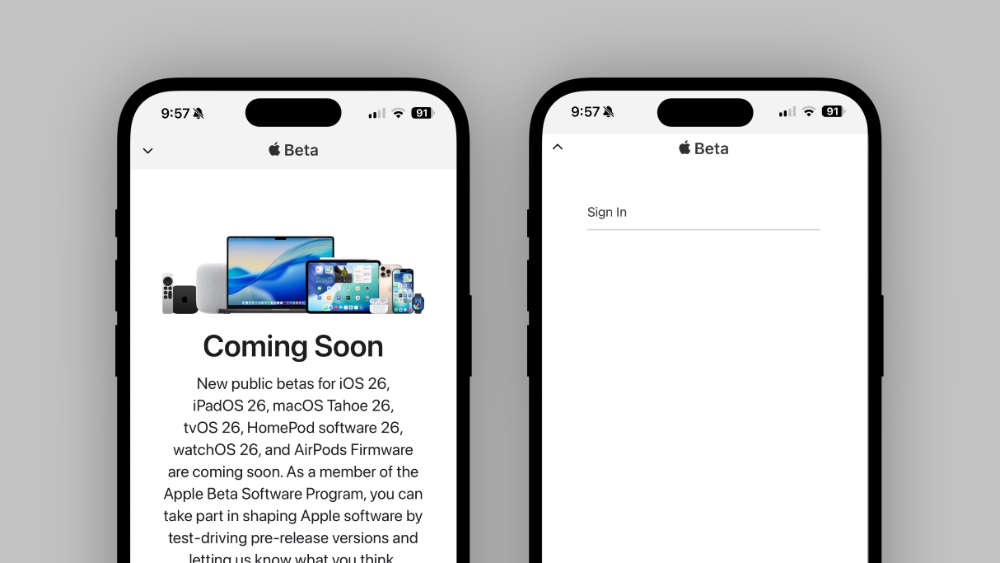
Once you do this, whenever a public beta update is available, you can select it and download it on your iPhone and iPad.
Free up Some Space
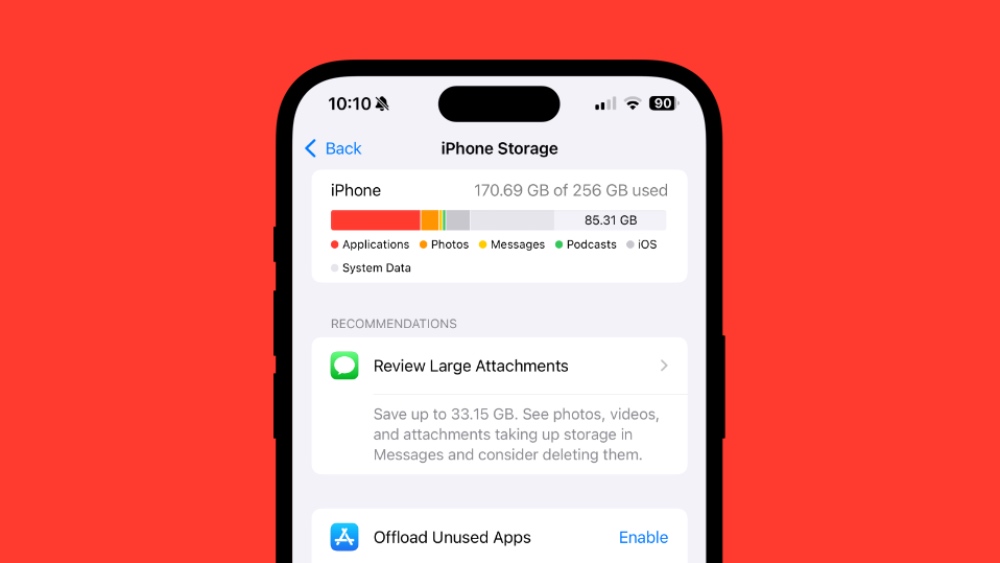
Make sure you have at least 15GB of free space on your iPhone and iPad in order to download the iOS 26 and iPadOS 26 public betas. You can check how much free space you have by simply going to Settings > General > iPhone/iPad Storage.
iOS 18 and iPadOS 18 will give you suggestions for freeing up space as well, so make sure you look into those before trying some adventurous.
On the Day of Release
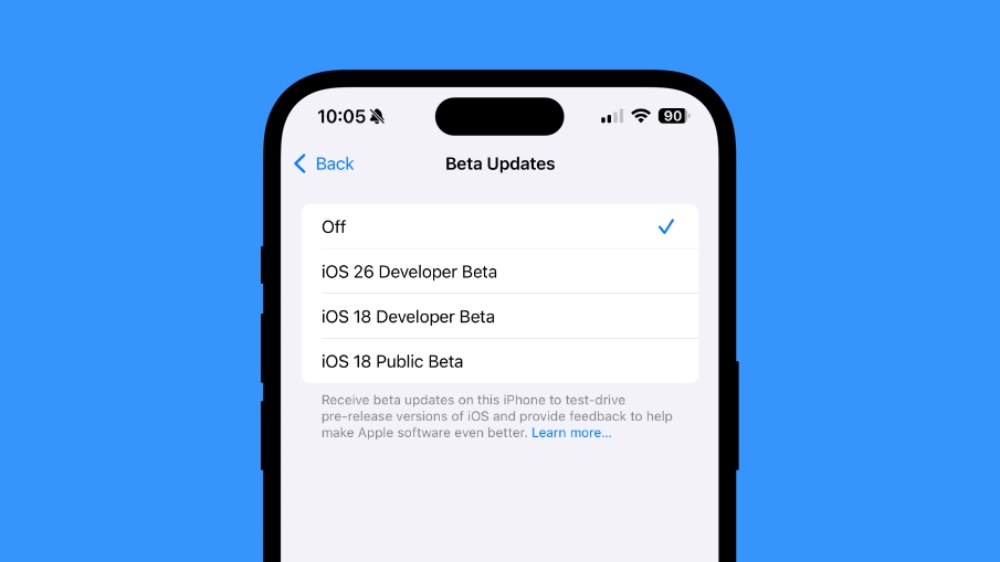
On the big day when the public beta drops, all you have to do is go to Settings > General > Software Update > Beta Updates. Over here, you’ll see iOS 26 and iPadOS 26 Public Beta. Tap on it to select, and the update will become available for you instantly.
Wrap Up
The most important part in all this is signing up for the public beta website. Just do it right away so that on the day of release you don’t have to tinker around in Safari.




