


You can share an entire website with someone as a PDF file from Safari using your iPhone and iPad. It’s one of the best features ever.
Share Your Favorite Websites as PDF Files Using Safari on Your iPhone and iPad – Perfect for Reading and Quick Sharing
Sharing a website from Safari is the easiest thing on iPhone and iPad. Just open that website up, tap on the Share button, select the person or app where you want to share the website, and away you go.
However, there’s an even better way to share a website – as a PDF file.
Once you select this option, you can send an entire webpage, from top to bottom, as a handy PDF file, and it’s perfect for situations when you want to share an article or maybe even a comic, but don’t want to make the other person launch the web browser.
What You Have to Do
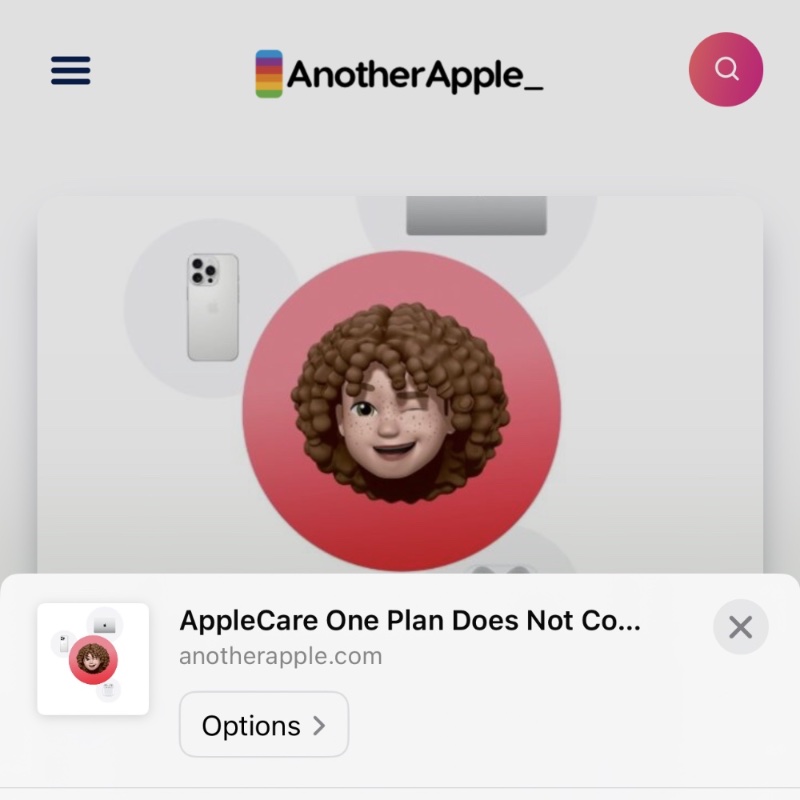
The way this works is pretty easy too. When you hit that Share button in Safari, right at the top you’ll see Options – tap on it to open.
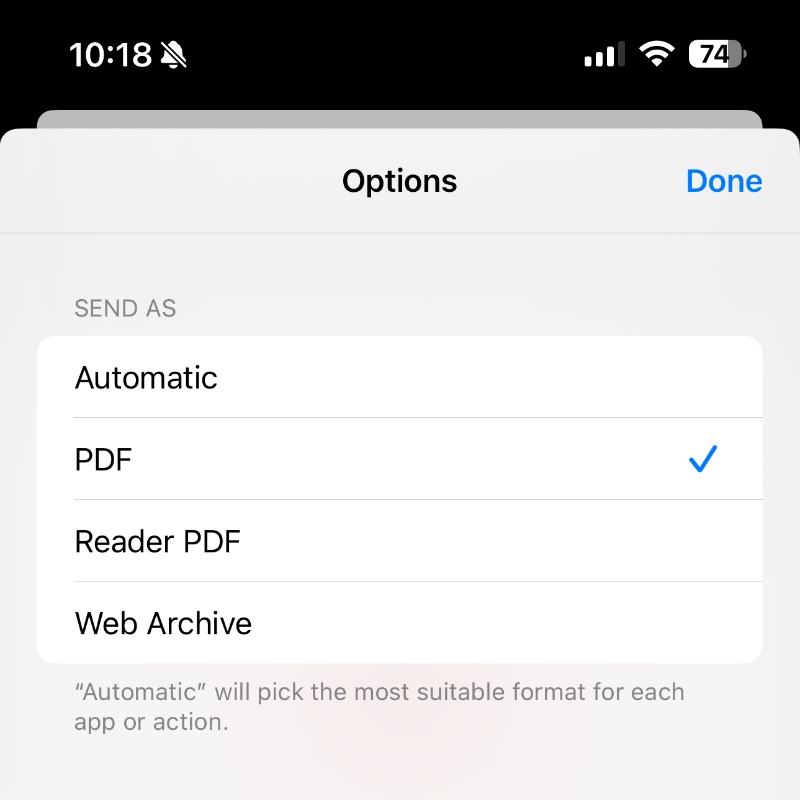
Now select PDF or Reader PDF from the list of options, and then tap on Done.
Now select how and where you want to share the PDF – whether with your favorite contact, or through an app like WhatsApp.
I use this feature all the time, especially on iMessage, but you can use any other app of your choice.
Do give this feature a shot. I guarantee the other person is going to love it too, because it allows them to immediately save the PDF to the Files app if they want to.




