



You can now download the first public beta of macOS 15.6 Sequoia on your Mac right away. Here’s what you have to do.
Public Beta Testers Can Now Download the New macOS 15.6 Sequoia Update on Their Macs
Monday was a great day for developers as Apple released a new beta for the Mac – macOS 15.6 Sequoia. Today, Apple is giving public beta testers a chance to test out the software as well.
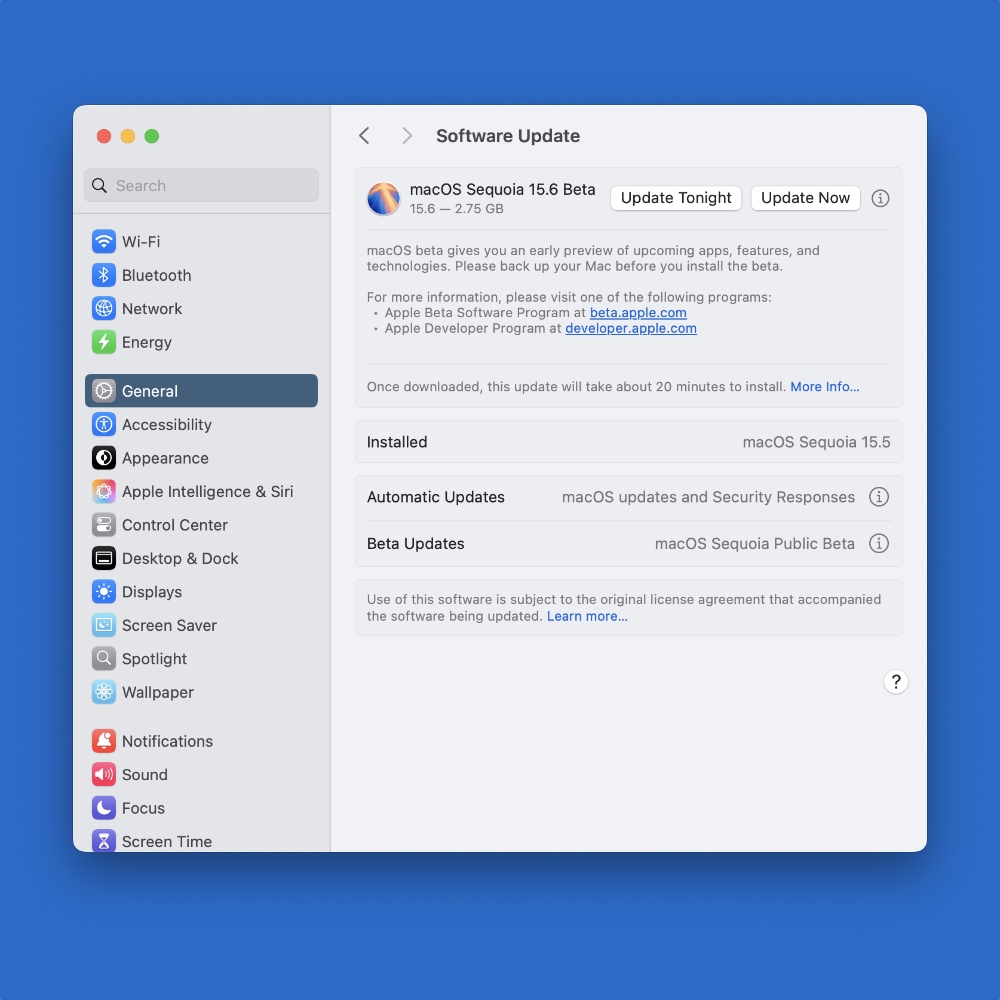
In order to download macOS 15.6 Sequoia public beta on your Mac, you have to sign up to the beta.apple.com website. Once done, launch System Settings, click on General, go to Software Update > Beta Updates.
Select macOS Sequoia Public Beta from the drop-down menu and you’ll instantly be able to download the new public beta on your Mac.
Apple hasn’t included any new features in this update, but it does include a bunch of bug fixes and security patches, which are as important as new features.
At this point, it’s hard to say when this update will become available for everyone to download.
There’s also a chance Apple may end up releasing macOS 15.7 Sequoia for those who want to stay on the older operating system before eventually upgrading to macOS 26 Tahoe.




