


Wondering if you can download iOS 26 or iPadOS 26 beta on iPhone and iPad without a developer account? Here are all the details.
Apple’s Developer Account is Free, and Anyone Can Download and Install iOS 26 or iPadOS 26 Beta Using it
Once upon a time, if you had to download a developer beta onto your iPhone or iPad, the process was not that straightforward.
You had to sign up for the Apple Developer Program for $99, download an iOS or iPadOS beta configuration profile, and then install the update.
Apple Developer Program is Free
Now, if you are thinking about downloading the iOS 26 or iPadOS 26 developer beta, it should be made absolutely clear that signing up to the Apple Developer Program is now free.
That’s right, you don’t have to pay $99. That paywall is now gone and you can access beta software for free.
You only have to sign up with your Apple Account. Just go to this link and enroll as an individual.
No Beta Profile Needed
You don’t have to download the iOS or iPadOS beta profile either once you sign up to the Apple Developer Program. You just have to enable the iOS 26 or iPadOS 26 developer beta by going to Settings > General > Software Update > Beta Updates.
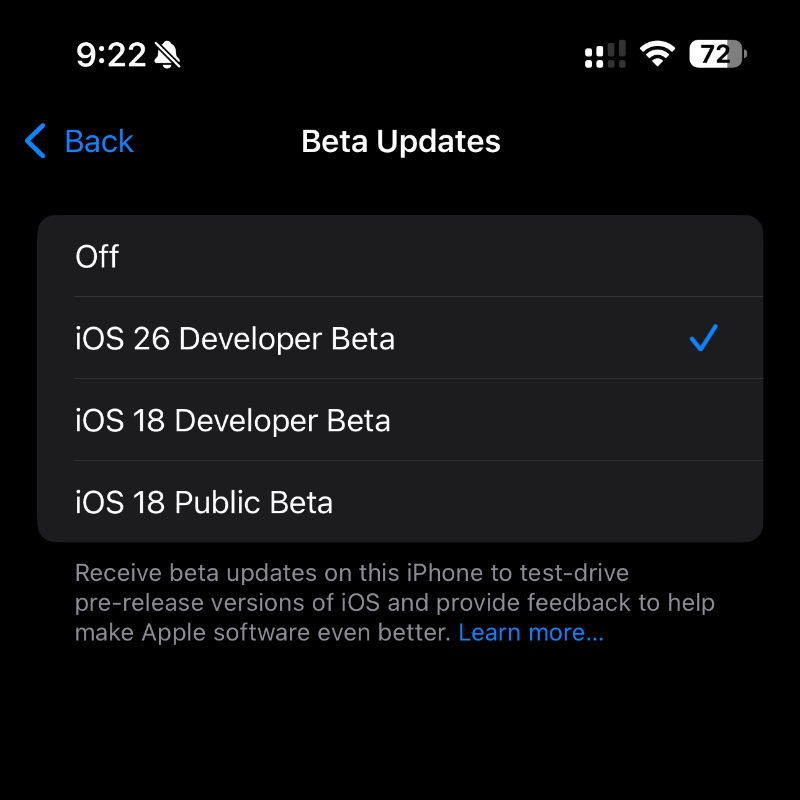
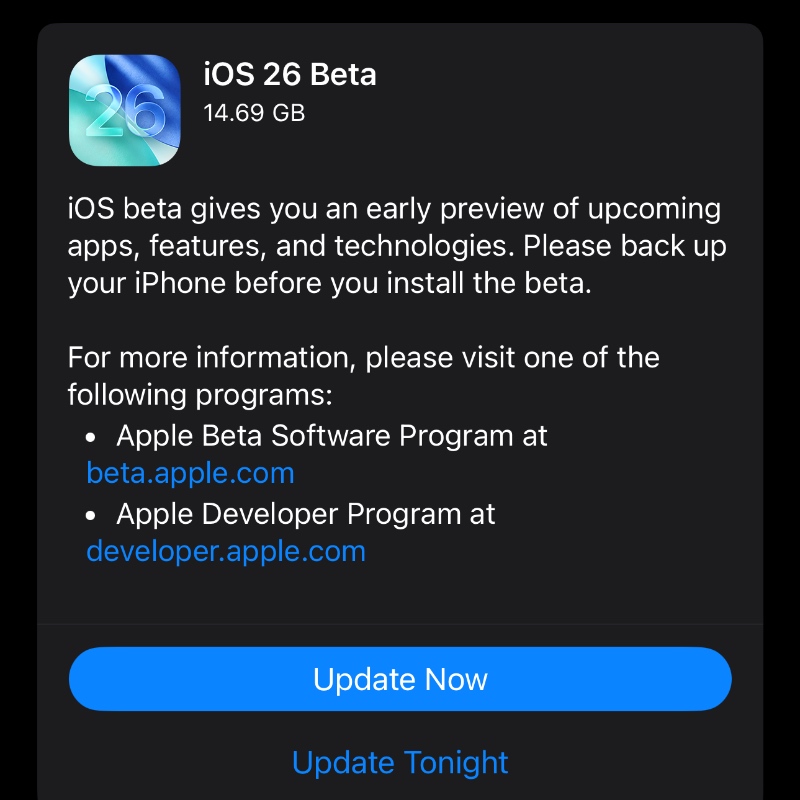
Once you do that, the iOS 26 and iPadOS 26 Beta will show right up for download in Software Update.
What About the Public Beta?
The public beta will be available for download next month, and that too will be free. But the public beta exists so that Apple can test out its software with a wider audience, and it’s generally more stable compared to the initial developer betas.
I always recommend installing the public beta since it’s far more stable and the sign up process is easier compared to the developer one.
So, What’s the Answer?
The answer is simple: you cannot download the developer beta with an Apple Developer Program membership. But since it’s free, you can just sign up for it and download away.
If you want to test out the developer beta on your iPhone or iPad, just check out the tutorial posted here. All you have to do is make sure you have a device that is compatible with the update.
Do keep in mind that installing early developer betas is risky and should not be taken lightly at all. If you’re installing it on a spare device, it’s well and good.
Planning to test drive it on your primary iPhone or iPad? You must be the bravest person alive.




