

If you have an iPhone 17 Pro or iPhone 17 Pro Max and noticed that its battery health is falling quickly, there’s a good reason behind it.
Poor Charging Habits and Heat Will Ruin Your iPhone 17 Pro and iPhone 17 Pro Max Battery Health Faster
Battery health paranoia is a thing. Just go through different social media outlets and you’ll find out how much people worry about battery health falling even one percentage.
The truth is, your battery health will ultimately fall, and there’s no escaping this reality. That’s how batteries work over time, and the iPhone 17 Pro or iPhone 17 Pro Max aren’t invincible to this phenomenon.
With more iPhones out in the wild, we get to hear more stories of declining battery health, and some percentages falling more rapidly than others. For example, the other day someone posted a screenshot of 99% battery health after just 50 charge cycles.
The truth is, you can achieve that 99% number in just 10 charge cycles too, and all it takes is a little bit of understanding of physics. For example, fast charging your iPhone with a chunky case on it is a recipe for disaster as it traps all the heat inside the case.
Batteries do not like excessive and prolonged exposure to heat, and your iPhone 17 Pro and iPhone 17 Pro Max’s vapor chamber cooling won’t help wth that either. In fact, I’ve talked about multiple ways how you can ruin your battery health too. Be sure to give that a read if you have a spare 5 minutes.
The bottom line is, you need to introduce some micromanagement to your iPhone 17 Pro and iPhone 17 Pro Max charging if you want to extend its battery health. Things like the ‘80% charge limit’ definitely helps, but only if you take heat out of the equation.
This means charging your iPhone in a well-ventilated area is a must. Using a slightly slow charger or power bank is recommended, especially if you plan on charging it outdoor, that too under the sun.
Keeping your iPhone under a pillow while charging is one of the worst things you can do to it, and I keep on hearing from people that they often do this, and they firmly believe it’s normal practice.
Sure, it’s normal practice, if you plan on damaging the battery.
Another thing which people don’t understand that lithium batteries in an iPhone do not like being discharged completely. That causes a lot of damage too, even with the 80% charge limit enabled.
Conclusion
I have an iPhone Air, and the phone is mostly sitting on a MagSafe charger with the 80% charge limit. The case stays off when the iPhone is charging, and sometimes I use wired charging with the case still on because wired charging does not produce that much heat compared to wireless.
Does it actually work in preserving battery health? Well, it’s working for me since I got my iPhone last year:
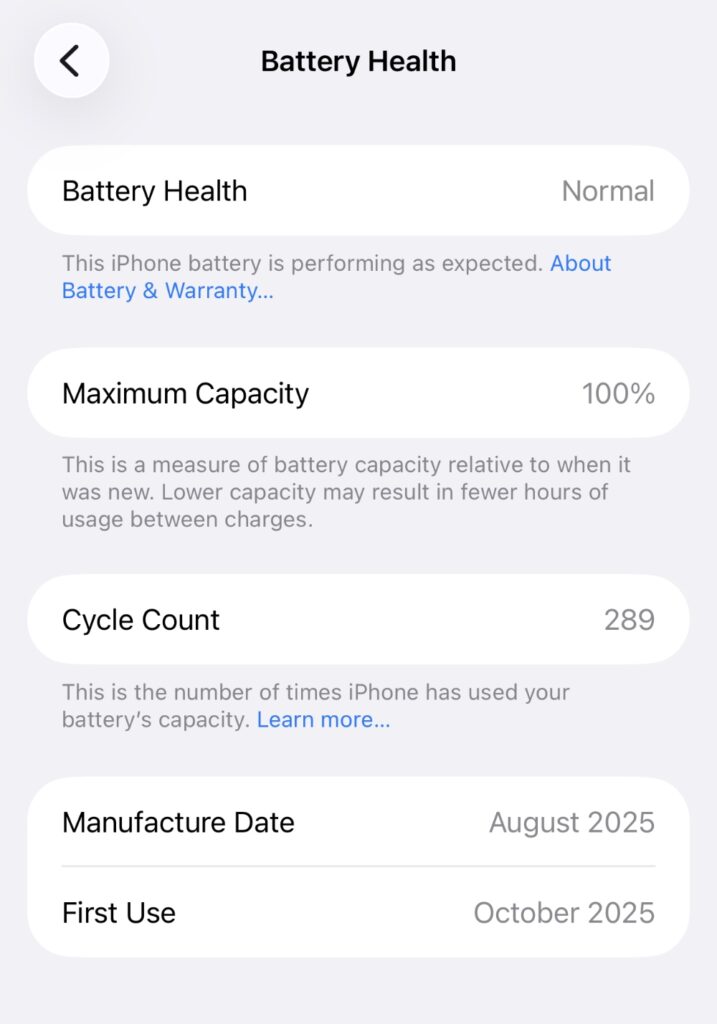
You can achieve this too. All you need to do is keep your iPhone cool, keep the battery above 20%, and set the charge limit to 80%.