
With a simple touch gesture, your Apple Watch can speak the current time out loud. Here’s how you can set it up right now.
Make Your Apple Watch Speak the Current Time with a Simple Touch Gesture, Handy with Certain Watch Faces
Checking the time on Apple Watch is the most boring thing you can ever do. Just turn the watch towards your face and read what’s on the display, it’s that simple.
Simple, but boring.
But, you can make this boring task slightly more fun by having your Apple Watch speak out the current time out loud instead. All it takes is putting your fingers on your Apple Watch display to make it happen.
First of all, let’s enable the feature first:
Step 1. On your Apple Watch, press the Digital Crown to go to the Home Screen.
Step 2. Open the Settings app.
Step 3. Scroll down and open Clock.
Step 4. Scroll down and find Speak Time, and enable the feature. If you want to hear the time every single time you touch the display, enable Always Speak instead of Control With Silent Mode.
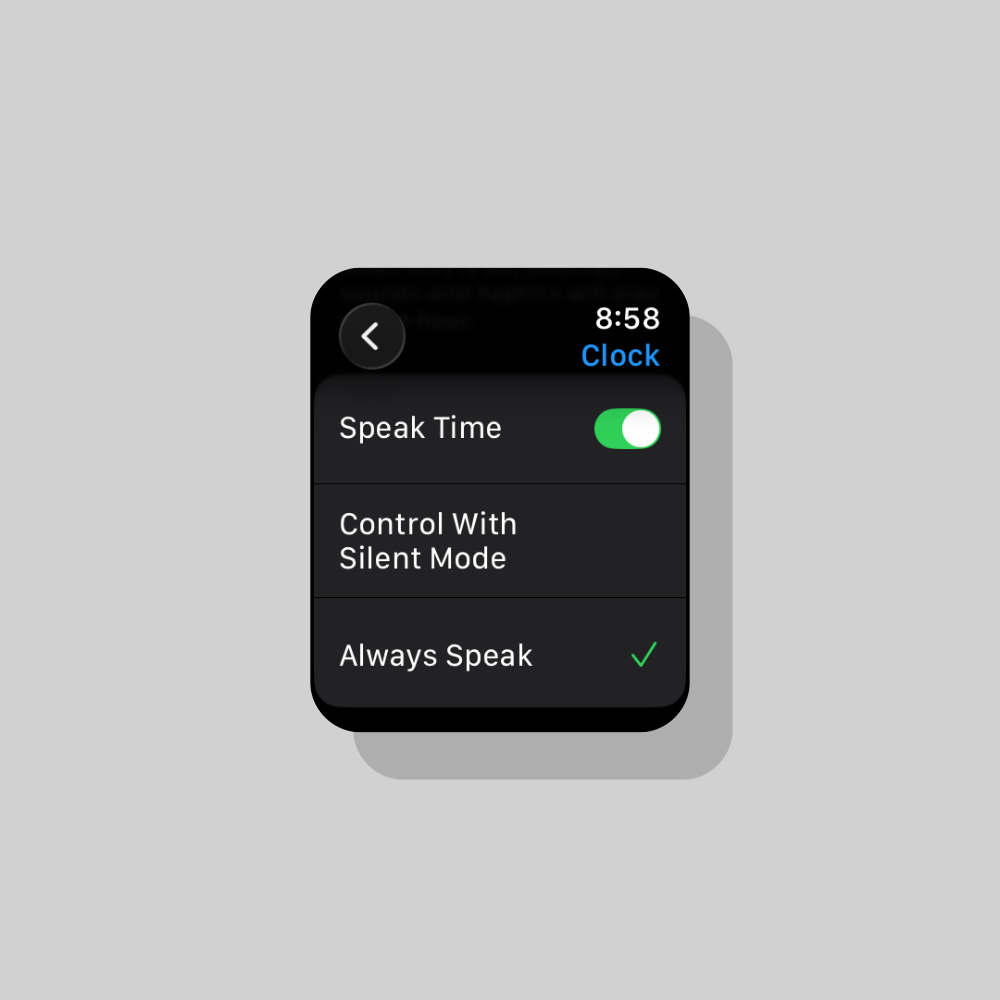
In order to test it out, go back to your watch face, press and hold on the display with two fingers for a couple of seconds. Your Apple Watch will speak the time out loud.
This feature comes in handy if you have a very artistic looking watch face. Trust me, there are many of them on Apple Watch, and rather than squint your eyes to see the time, this gesture makes it simple.