
You can generate images using ChatGPT inside the Apple Image Playground app on iPhone, iPad, and Mac. Here’s how to use it.
Apple’s Image Playground App Lets You Generate High Quality AI Images Using ChatGPT on iPhone, iPad, and Mac
Image Playground is a great way to instantly generate AI images. Sure, it might not win awards for best-ever quality, but the fact that it works offline and completely free makes it a very viable option compared to everything else.
However, when you strictly talk about quality, Image Playground creates a mediocre-looking image compared to something that’s generated using ChatGPT.
Thankfully, with recent updates to iOS, iPadOS, and macOS, you can generate AI images using ChatGPT right within Image Playground as well. By default, Image Playground is set to generate images using Apple’s own AI models. But with a couple of clicks or taps, you can switch over to ChatGPT.
Let me show you how it works on an iPad. The steps are exactly the same on iPhone and Mac, so you don’t have to fumble at all.
Note: Image Playground is available on devices that support Apple Intelligence only. If you still want to generate images using ChatGPT on a non-supported device, you can simply use the official ChatGPT app.
Step 1. Launch Image Playground on your iPhone, iPad, or Mac.
Step 2. Tap or click on the ‘+ New Image’ button.
Step 3. Right at the top you’ll see an option for a drop-down menu box. Tap on it and select ChatGPT. You may select any custom style if you like, but it’s best you give it a go using ‘Any Style’ for the first time.
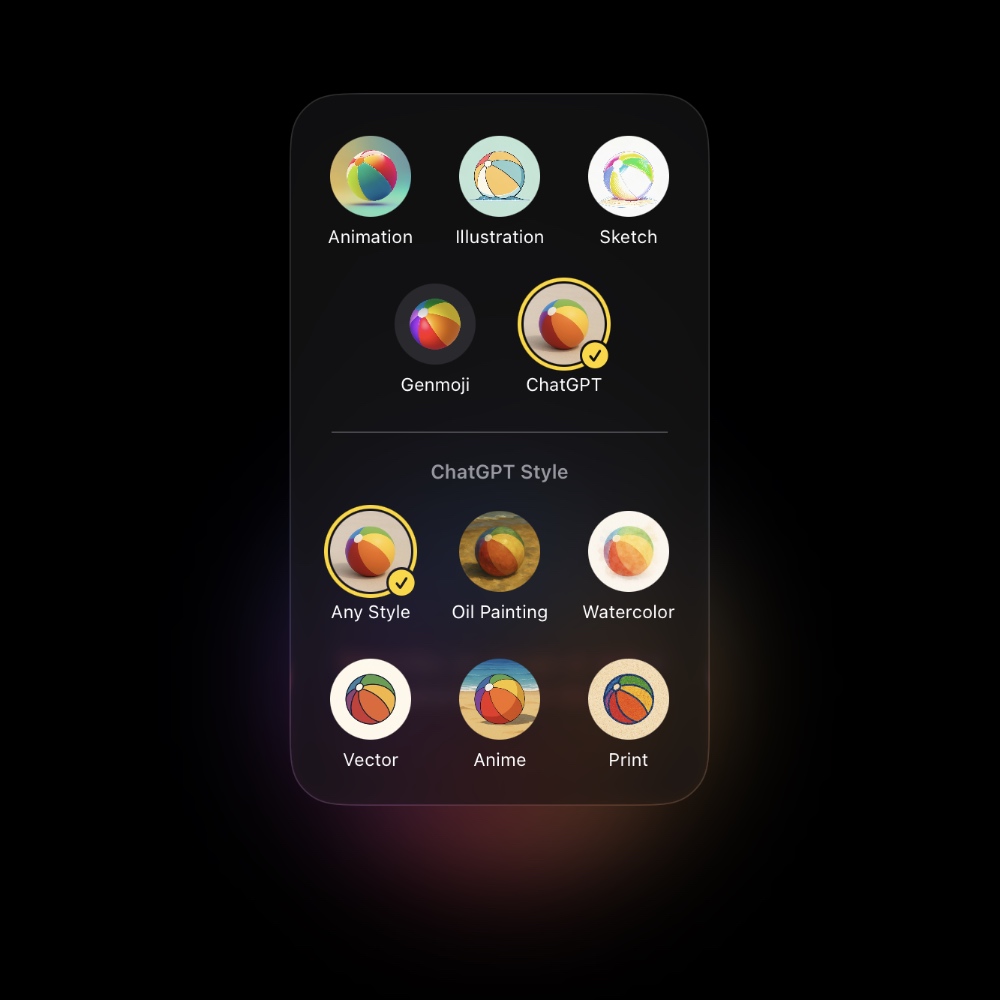
Step 4. Now start adding prompts to the text box below and hit the Return key to generate an image. Do keep in mind ChatGPT takes a while to generate an image compared to the local AI model from Apple.
If you’re using the free tier of ChatGPT, you won’t be able to create more than a couple of images per day. This is where the local AI model wins, and you can keep on generating images as much as you want, that too privately.
Alternatively, you can ask Siri to generate an image using ChatGPT as well. I’ve covered it as a separate tutorial, and you can check it out here. And again, you need an Apple Intelligence-capable iPhone, iPad, or Mac in order to use this feature.