
Here’s how you can check your remaining Apple Account or App Store balance using your iPhone, iPad, or Mac.
Stay up to Date on Your Remaining Apple Account and App Store Balance Right from Your iPhone, iPad, or Mac
There are multiple ways of buying apps and games from the App Store. You can either use your credit card, or you can add money to your Apple Account using a gift card, etc.
If you use the second method, then keeping track of your balance is a great way to ensure you have enough credit for your next purchase. And finding out how much money you have left is pretty easy as well, and I’m going to show you how on your iPhone, iPad, and Mac.
iPhone and iPad
Step 1. Launch the App Store on your iPhone or iPad from your Home Screen.
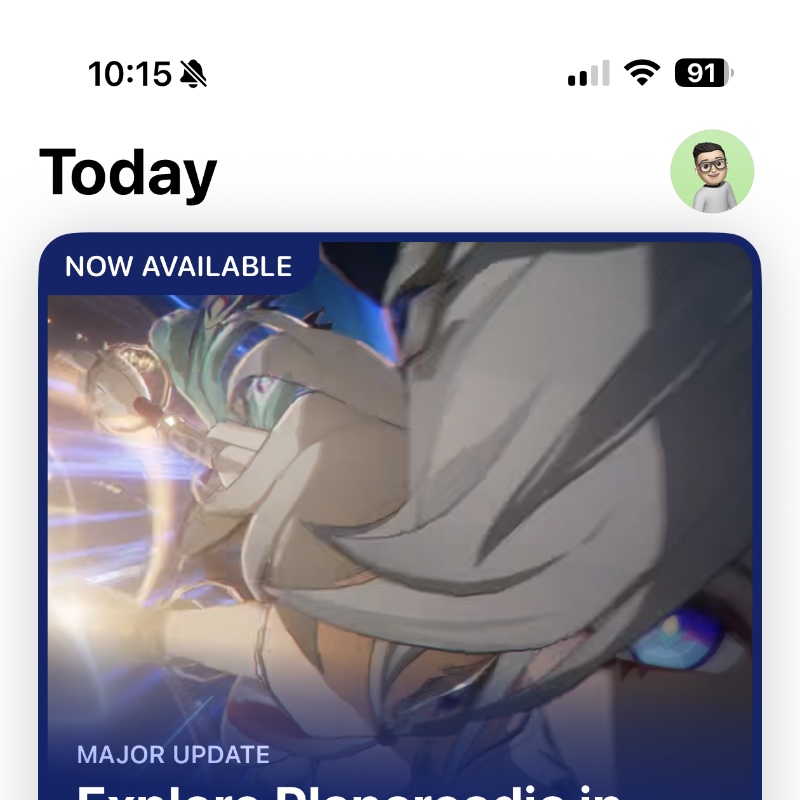
Step 2. At the top right corner of the display you’ll see your Apple Account picture. Tap on it to open.
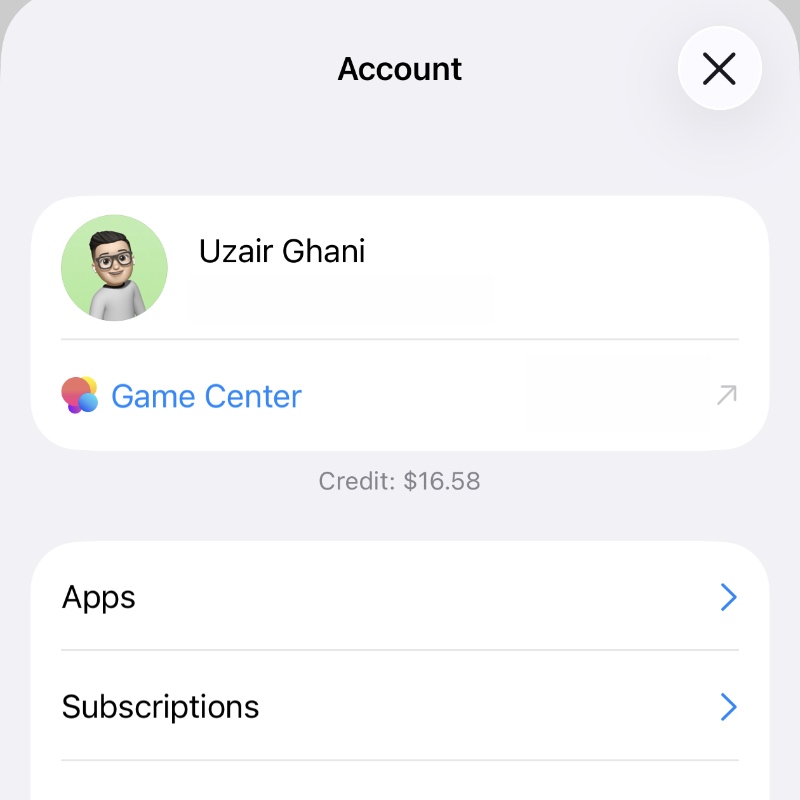
Step 3. Right at the top you’ll see the remaining balance in your account.
Mac
Step 1. Launch the App Store from the Dock or Finder.
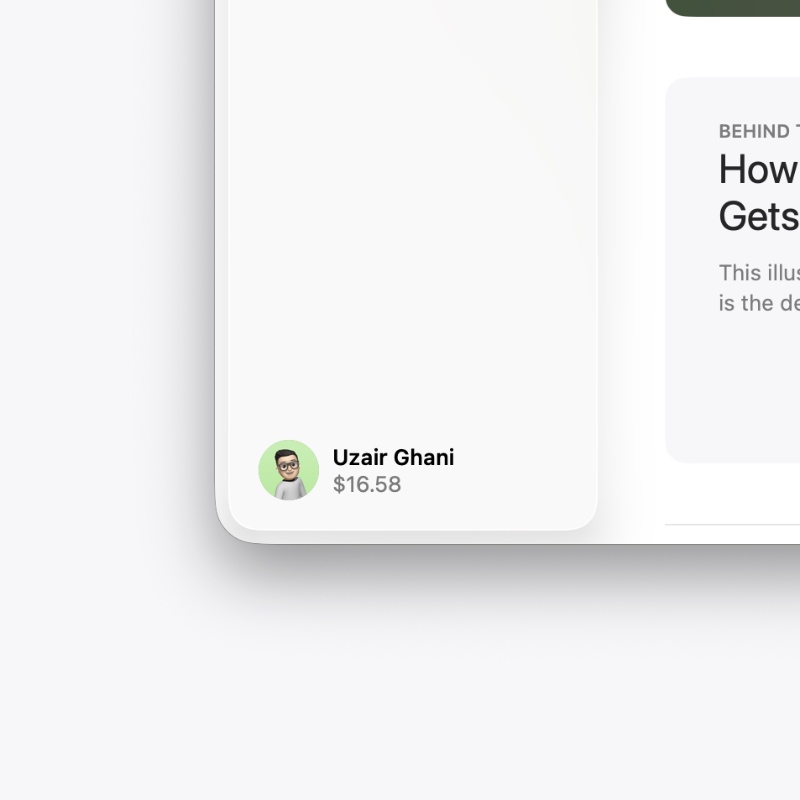
Step 2. Once the App Store has loaded up, you’ll see your remaining balance on the bottom left. You don’t have to make extra clicks for this, unlike iOS and iPadOS.
Having your credit card associated with your Apple Account is a great way to ensure you can instantly buy whatever you like. But I always suggest having a little bit of pre-paid balance in your Apple Account anyway, just in case your bank decides to surprise you randomly when you’re about to subscribe to something.
The interesting thing is, you can sometimes get a discount on an Apple Gift Card as well. Sites like Amazon usually have a discount on the $100 variant of the card, and it occasionally drops down to $80 or $75. The same thing happens on PayPal from time to time as well. What this means is, you get way more value without spending full money.