

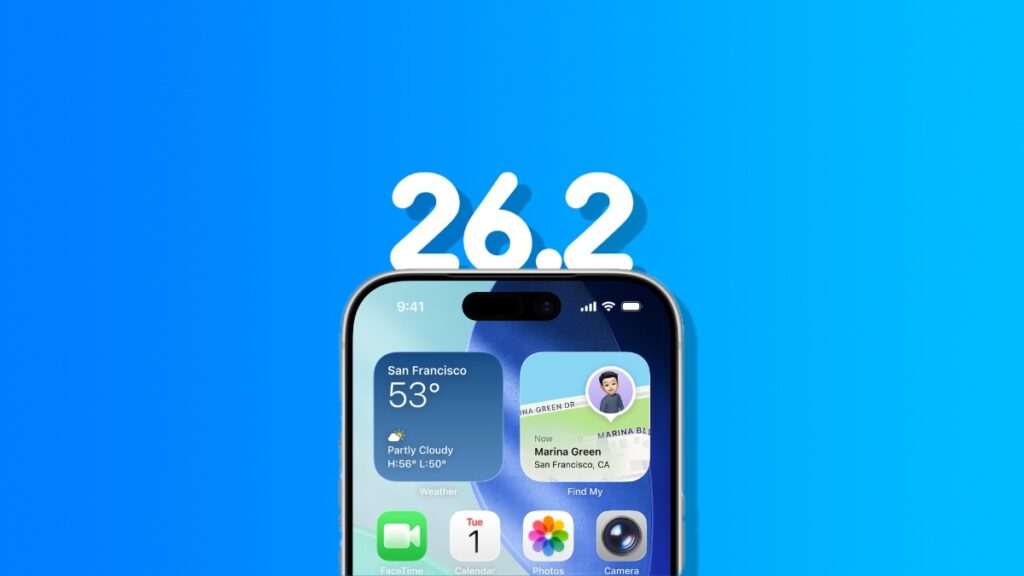

You can now download and install the final version of iOS 26.2 and iPadOS 26.2 updates on your iPhone and iPad right now.
iOS 26.2 and iPadOS 26.2 Now Available for Download with Brand New Features and Changes – Here’s Everything New
We’re completely out of the beta phase and into the real world with the release of iOS 26.2 and iPadOS 26.2 for all compatible iPhone and iPad devices around the world.
Apple seeded the RC version of the updates last week to developers and public beta testers, and those who didn’t download the update then can enjoy all of it today.
Before I go any further, let’s have a look at all the things that are new in this update:
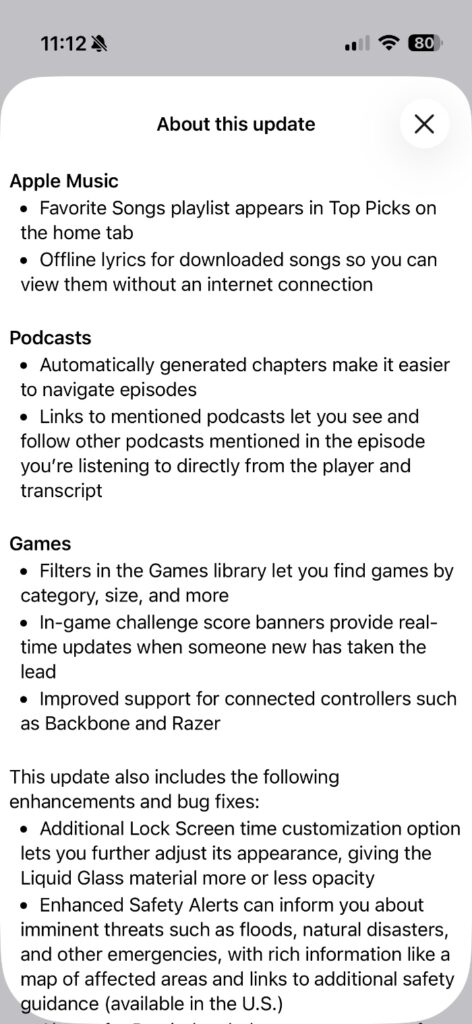
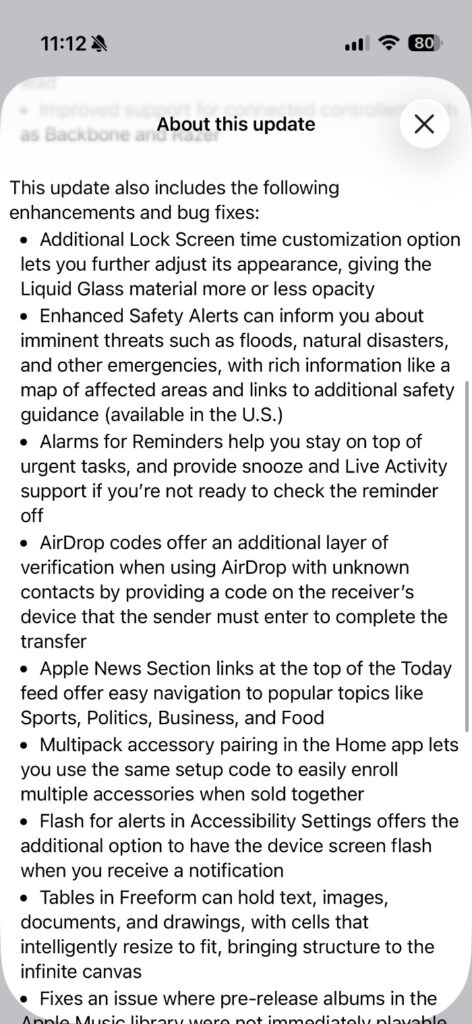
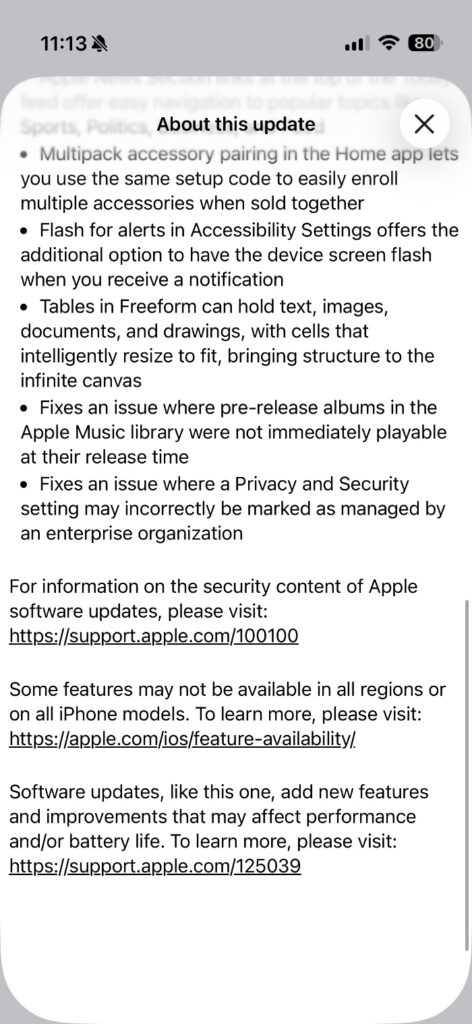
Done reading? Are you ready to download and install iOS 26.2 and iPadOS 26.2? Here’s what you have to do, in order to download the update over the air:
- Launch the Settings app on your iPhone or iPad.
- Tap on General.
- Now tap on Software Update.
- Wait for the page to refresh, and then tap on Update Now.
The update will start to download onto your device, and then install afterwards. This entire process may take a while, which is completely normal.
Want to clean install the update in the quickest possible way? Check out the tutorial posted here.
I recommend doing a clean installation on your iPhone and iPad if you’re running into too many problems on your device, especially when it comes to performance. A clean installation fixes a lot of issues, but if your device is too old, then it might not do much.
Looking for the IPSW files? You’ll find them below:
- iPhone Air
- iPhone 17
- iPhone 17 Pro Max
- iPhone 17 Pro
- iPhone 16e
- iPhone 16 Plus
- iPhone 16
- iPhone 16 Pro Max
- iPhone 16 Pro
- iPhone 15 Pro Max
- iPhone 15 Pro
- iPhone 15 Plus
- iPhone 15
- iPhone 14 Pro Max
- iPhone 14 Pro
- iPhone 14 Plus
- iPhone 14
- iPhone SE (3rd-generation)
- iPhone 13
- iPhone 13 mini
- iPhone 13 Pro Max
- iPhone 13 Pro
- iPhone 12 Pro Max
- iPhone 12, iPhone 12 Pro
- iPhone 12 mini
- iPhone SE (2nd-generation)
- iPhone 11 Pro, iPhone 11 Pro Max
- iPhone 11
- iPad Pro (M5)
- iPad mini 7 with A17 Pro
- iPad Pro 11-inch (M4), iPad Pro 13-inch (M4)
- iPad (A16)
- iPad Air 11-inch (M3)
- iPad Air 11-inch (M2), iPad Air 13-inch (M2)
- 11-inch iPad Pro (4th-generation), 12.9-inch iPad Pro (6th-generation)
- iPad Air (5th-generation)
- 10.2-in. iPad (10th generation)
- 11-inch iPad Pro (3rd-generation), 12.9-inch iPad Pro (5th-generation)
- iPad mini (6th-generation)
- 10.2-in. iPad (9th generation)
- iPad Air (4th-generation)
- 10.2-inch iPad (8th-generation)
- iPad mini (5th-generation), iPad Air (3rd-generation)
- 11-inch iPad Pro (1st and 2nd generations), 12.9-inch iPad Pro (3rd and 4th generations)




