You can now use Spotify’s built-in tool to import your Apple Music library right from your iPhone and iPad.
Official Built-in Spotify Tool Lets You Effortlessly Import Your Apple Music Library – Works With Ton of Other Services too
If you’ve decided that Spotify is going to handle your music streaming needs, then you are definitely looking for a way to import your music playlist from your outgoing service as well.
Though there are third-party tools that allow you to do this, but you’ll be delighted to learn that Spotify lets you import music playlists from other services right from within the app, including Apple Music.
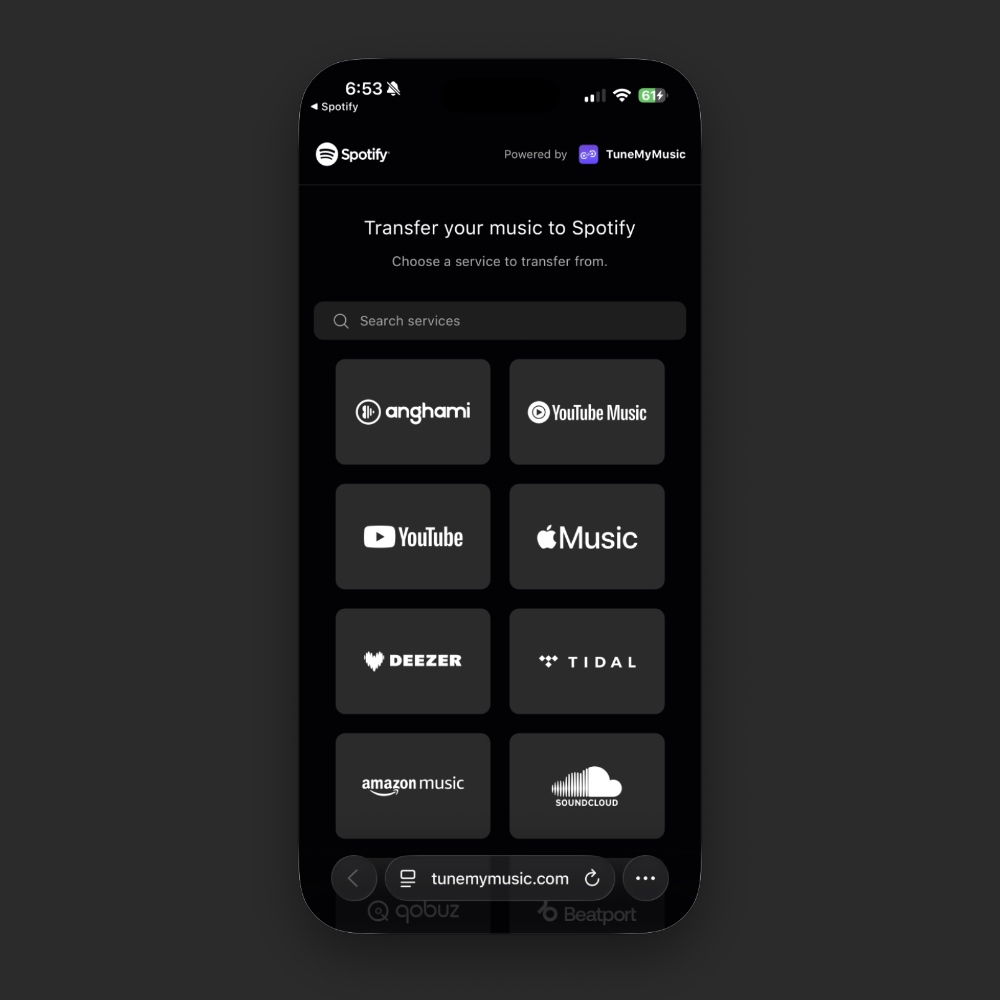
Using this feature is super easy as well and multiple services are supported. This includes: Anghami, YouTube Music, YouTube, Apple Music, Deezer, TIDAL, Amazon Music, SoundCloud, Qobuz, Beatport, Beatsource, iTunes, Napster, Pandora, KKBOX, last.fm, Soundmachine, and Boomplay.
In order to access this feature, just launch the Spotify app, tap on the ‘Your Library’ tab, scroll all the way down, and tap on ‘Import your music.’ Now tap on Get Started, select the service from which you want to import music – Apple Music in case of this tutorial – and away you go.
You will be required to enter your Apple Account username and password in order to import your Apple Music library.
Do keep in mind that not each and every single song will be imported to Spotify. If there’s music exclusive to Apple Music, it won’t be transferred to Spotify, keep that in mind.