

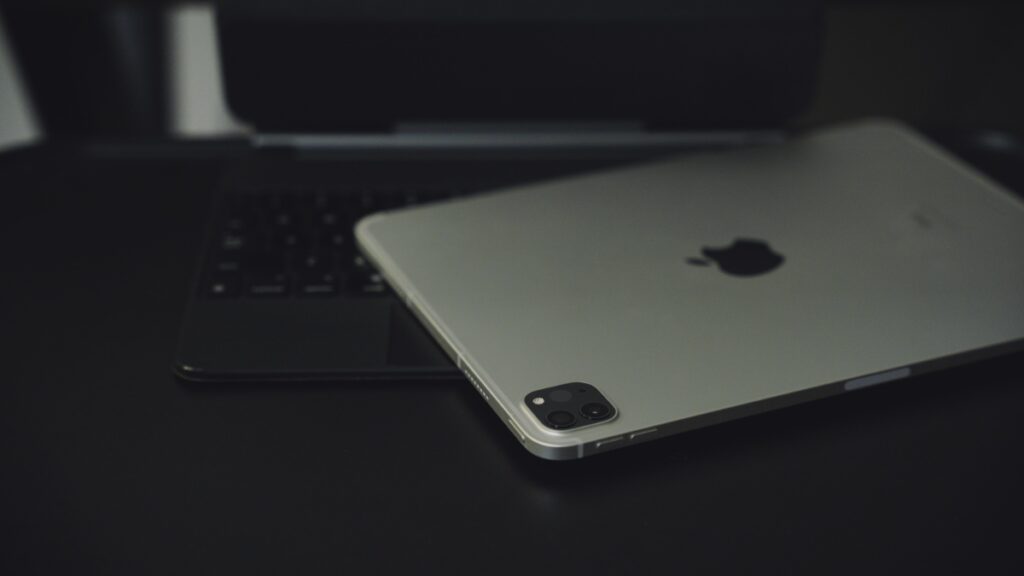

My approach to how I used iPad as a laptop was wrong. I’m giving it a second chance, but this time with changes that make sense.
After Drifting Away from iPad and Using the MacBook Air as a Full-time Laptop, it’s Time to Go Back and Make Some Changes
Whenever I set up my iPad, I set it up like an iPad. What that means is, I set it up like a touch-first device like an iPhone on which there’s going to be a ton of swiping and doomscrolling.
The truth is, iPad really is a touch-first device and is meant to be treated as such. Using it like a laptop is its secondary feature, and yet I always set it up like an iPad even when I plan to use it on and off like a laptop.
That’s the first thing that got in the way of my laptop adventure, and it completely embarrasses me to admit that.
iPadOS 26 might have something to do with it a little, but taking a different start might shape things up nicely.
This time, I’m going to start from scratch, and the iPad I’m planning to use as a laptop is the 11-inch iPad Pro with M1 and cellular. The reason for that is because it’s extremely portable and gives me the freedom to take iPad with me anywhere when I’m not using it as a laptop.
Secondly, I’m going to set it up like a laptop, not like an iPad. This means my home and lock screen setup will mimic how it would on a laptop – fewer icons on the grid and more apps in the Dock at the bottom. Basically, it’s meant to be functional and less of a meme viewer.
I won’t be installing apps that are already on my iPhone because they’re already on my iPhone. There’s no way I’m going to mirror my iPhone setup on a bigger screen. In fact, quite the opposite, one that’s meant for productivity.
Other tweak I plan on making with the new setup is keeping the Downloads folder in the Dock, allowing me to access my files immediately like how I would on my Mac. But this is something I’m currently just thinking about as it can literally be any folder at all.
For the keyboard and mouse, I’ll be using Apple’s Magic Keyboard since it is the accessory that makes the most sense when transforming an iPad into a laptop. I might throw in the Magic Mouse from time to time, but that is undecided, since I want to keep my setup as simple as possible.
Conclusion
I’ve stopped using iPad as a laptop completely in favor of my M3 MacBook Air. It works flawlessly, doesn’t slow me down, and it’s a good old fashioned computer.
The iPad entices me from time to time because of its versatility; however, I always got it wrong when it comes to how I set it up. Let’s see how it goes this time around. If it doesn’t work, then the iPad is not for me as a laptop.
If you have some tips to share with me, make sure you send them to me via email.




