


iOS 26 and iPadOS 26, the final version, will be available to download on Monday, and here’s how you can prepare your iPhone and iPad for it.
iOS 26 and iPadOS 26 Final will be Available for Download on Monday, Prepare your iPhone and iPad Ahead of Time for it
Apple’s big iOS 26 and iPadOS 26 updates with the all-new Liquid Glass user interface will be available to download on Monday.
I know a lot of people are going to frantically hit that ‘Update Now’ button as soon as the OS is released, and doing that may not be the best thing, especially if you’re underprepared.
Today, I will walk you through a bunch of things, ensuring that things go smoothly as possible for you on Monday. It’s the little things, like knowing whether or not your device is compatible with the update, how much free space you need, etc.
iOS 26 and iPadOS 26 Compatible iPhone and iPad Devices
Please make sure that your iPhone and iPad is compatible with iOS 26 and iPadOS 26. Though I have the entire list posted here, but you can check it out below:
- iPhone 16, iPhone 16 Plus
- iPhone 16 Pro, iPhone 16 Pro Max
- iPhone 16e
- iPhone 15, iPhone 15 Plus
- iPhone 15 Pro, iPhone 15 Pro Max
- iPhone 14, iPhone 14 Plus
- iPhone 14 Pro, iPhone 14 Pro Max
- iPhone 13, iPhone 13 mini
- iPhone 13 Pro, iPhone 13 Pro Max
- iPhone 12, iPhone 12 mini
- iPhone 12 Pro, iPhone 12 Pro Max
- iPhone 11, iPhone 11 Pro, iPhone 11 Pro Max
- iPhone SE 2 and newer
And these are the iPad models compatible with iPadOS 26:
- iPad Pro (M4)
- iPad Pro 12.9‑inch (3rd generation and later)
- iPad Pro 11‑inch (1st generation and later)
- iPad Air (M3)
- iPad Air (M2)
- iPad Air (3rd generation and later)
- iPad (A16)
- iPad (8th generation and later)
- iPad mini (A17 Pro)
- iPad mini (5th generation and later)
If your device is in the list, then keep on reading.
Free up Space if Necessary
You should have at least 15GB of free space on your iPhone and iPad in order to download the iOS 26 and iPadOS 26 updates.
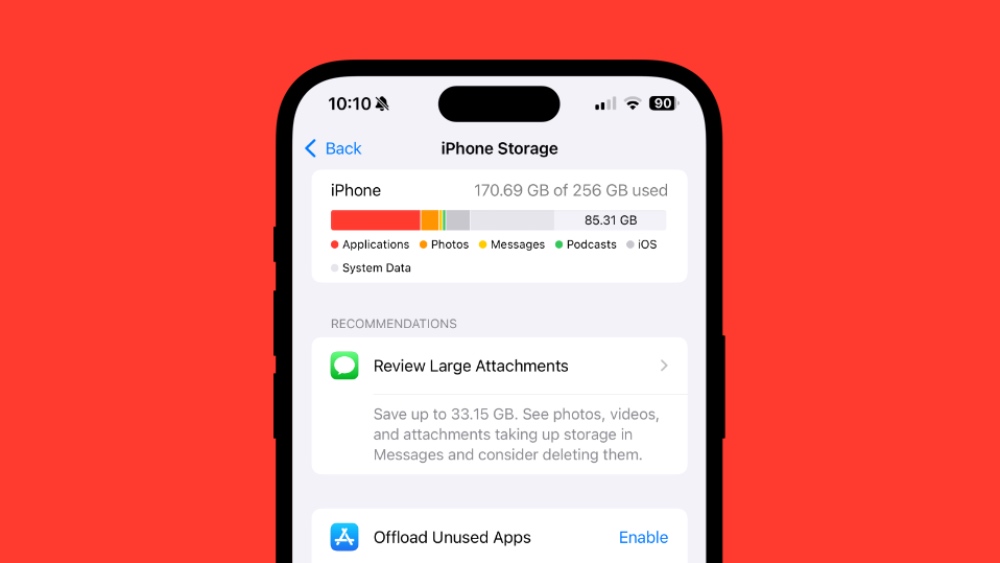
Go to Settings > General > iPhone Storage or iPad Storage and see how much space you have. You might need to free up a ton of space otherwise you won’t be able to install the update.
Deleting unused apps is usually my go-to method of freeing up space. It’s always that one app or game taking up unnecessary space.
Backup Everything Right Now
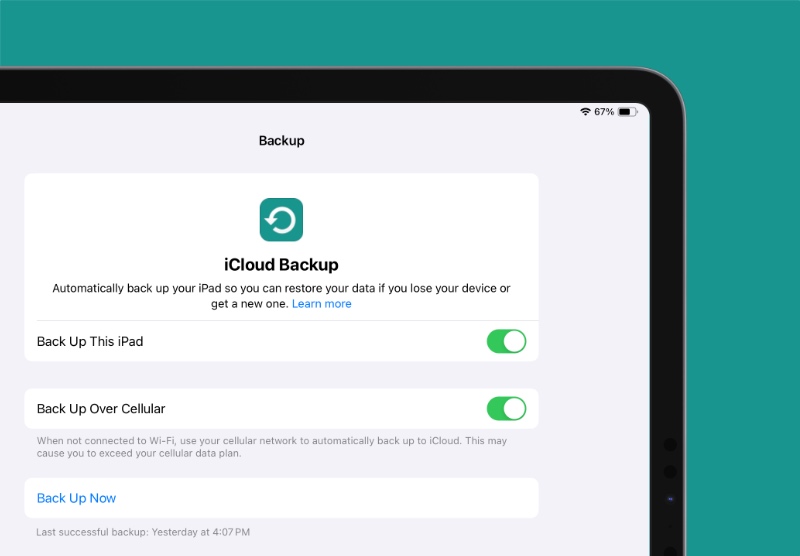
Take a backup of everything either using iCloud or Finder. I will suggest both, if possible. It’s best to have multiple copies of your files and settings, allowing you to keep things as safe as possible.
You will find all the details on how to backup you iPhone and iPad right here.
Some Other Fun Things
While the final version of the update will be released on Monday, the RC version of the software is available to download right now. If you’re interested in that, you can install it today on your iPhone and iPad. I have it covered in detail right here.
The RC version is the final version of the software, but it is currently available for developers and public beta testers only.
If you do not want to download iOS 26 or iPadOS 26 RC, that’s fine. You can read up on what’s new in iOS 26 here, and iPadOS 26 here.
Play the Waiting Game
By the time you read this, it’s already Sunday. You are just 24 hours away from downloading the new update, and all you have to do right now is sit back, relax, and play the waiting game.




