


Apple has released the first public beta of watchOS 26.1 for the Apple Watch and it is available to download for everyone.
Download and Install the First Public Beta of watchOS 26.1 Today on Your Apple Watch
Apple is being really quick when it comes to public beta updates. Having seeded the first developer beta of watchOS 26.1 earlier this week, the first public beta is here as well.
In order to take the new watchOS 26.1 public beta for a spin, you first have to sign up for the Beta Software Program by going to beta.apple.com. Just sign in using your Apple Account and you’re ready to test out public beta software.
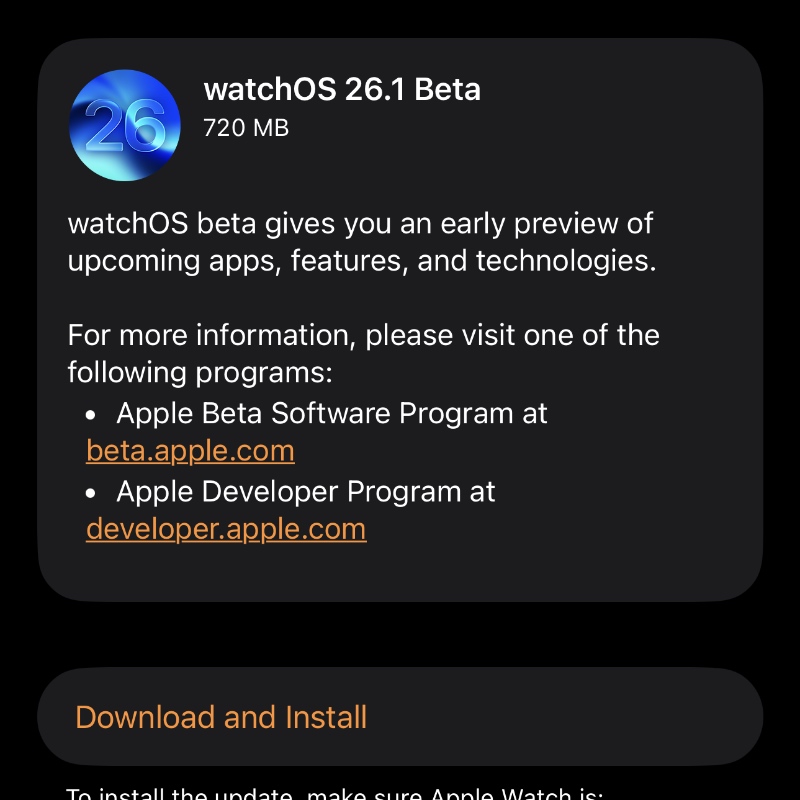
Now, on your iPhone, launch the Watch app, go to General > Software Update > Beta Updates and select watchOS 26 Public Beta. Once done, you’ll immediately see watchOS 26.1 public beta. Tap on Download and Install to begin download and installation.
Remember, once you do upgrade, there’s no going back to the public release channel. Apple does not allow downgrading Apple Watch software.




