


Developer beta 1 of watchOS 26.1 for the Apple Watch is now available for download with new changes and features.
The First Developer Beta of watchOS 26.1 is Now Available for Download for Apple Watch
Enjoying watchOS 26.0 on your Apple Watch? That’s so last week, because Apple has just released watchOS 26.1 beta for Apple Watch.
If you’re already signed up to the Apple Developer Program, you can test out the new beta immediately. Just launch the Watch app on your iPhone, go to General > Software Update > Beta Updates. Enable watchOS 26 Developer Beta from here.
Once that is done, you’ll see watchOS 26.1 developer beta 1 in Software Update. Tap on Download and Install, and the update will begin to download in a few seconds.
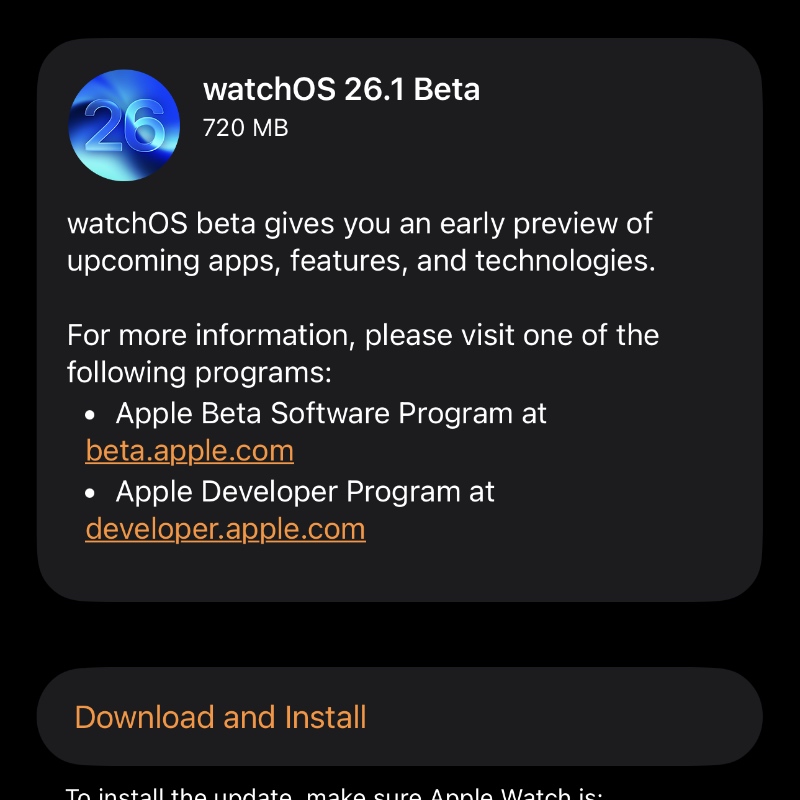
You will be required to place your Apple Watch on its charger in order to complete the installation, so make sure you do that.
According to Apple, the new watchOS 26.1 beta 1 has the following build number: 23S5002i
Anything new and noteworthy in the new beta will be highlighted in a dedicated post, so make sure you’re tuned in for that.
The same rule applies as before. Once you download the new beta, you cannot downgrade back to the publicly available watchOS update.
The inability to downgrade is probably the riskiest part of testing out watchOS betas. Even if you accidentally upgrade to the new software, there’s no going back at all. Even Apple won’t be able to help you out.
Also, the public beta of watchOS 26.1 should be available for download soon as well. It is usually available for download alongside the third developer beta.
This also means you have to wait for at least three weeks, or maybe a lot more, before public beta testers get a taste of the new update.
I usually advise against installing watchOS betas because you have no control over what can or might happen. There have been reports of bricked Apple Watch devices after downloading a new beta update.
I’m not trying to scare you or anything. It’s just that these things can happen when testing out beta updates, and it’s well documented too.




