



Here’s how you can share your live location with friends and family members using Find My on iPhone, iPad, and Mac.
Find My Lets You Share Your Live Location with Friends and Family Members, Allowing them to See Your Location 24/7
Turns out, a lot of people love to share their live location with friends and family members. If you are wondering how you can do that too, you can join the trend right away.
Once you share your location, the other person will know at any given time where you are on a map. It’s actually a great feature if you want to know the whereabouts of your kid who has an iPad or iPhone.
Note: The other person must have an iPhone, iPad, or Mac, in order for this to work.
Share Location Using the Mac
Step 1. Launch the Find My app.
Step 2. Click on the ‘+’ button on the bottom left corner which says Share My Location.
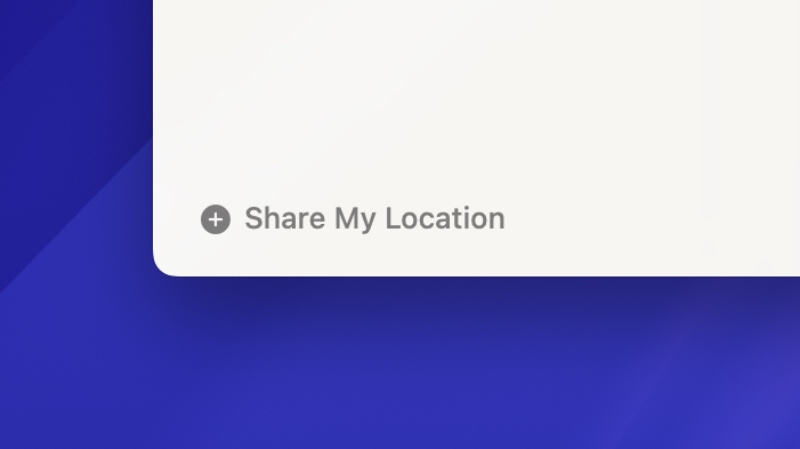
Step 3. Select the contact with whom you wish to share your location.
Step 4. Click on Send.
Share Location Using iPhone or iPad
Step 1. Launch the Find My app.
Step 2. Open the People tab.
Step 3. Tap on the ‘+’ button at the top.
Step 4. Select Share My Location.
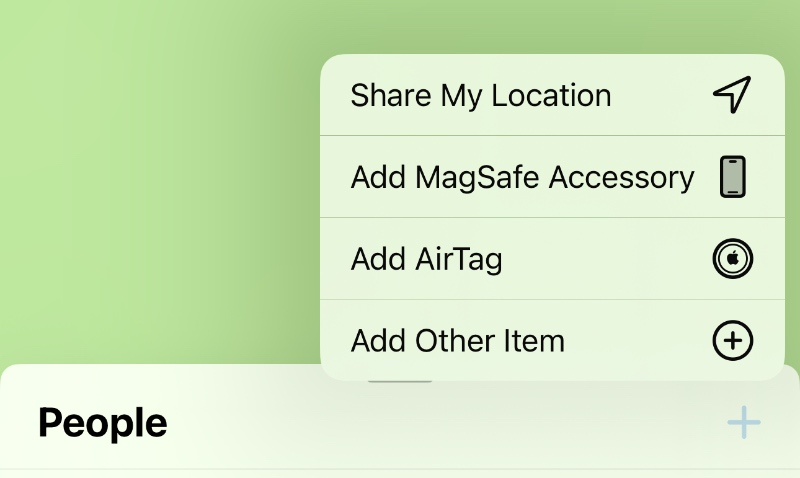
Step 5. Select the contact with whom you want to share your location.
Step 6. Tap on Send once you’re done.
Remember, the other person has to accept your request in order to start seeing your location, and they will decide if they want to share their location back on Find My.
Do I recommend sharing your location? Among strangers, absolutely not, and don’t even think about it. Among a group of friends? If trust levels are through the roof, then go right ahead.
But still, consider the privacy implications of this before sharing your location with anyone at all.




