


Here’s how you can download and install the new HomePod Software Update 26 public beta 1 on your HomePod and HomePod mini.
HomePod Software Update 26 Public Beta Now Available for Download, You Can Install it Today
Apple has released four betas of HomePod Software Update 26 so far. If you have been eagerly waiting for the public beta to arrive, then you’re in luck, as it is available to download and install today.
While you can download the update on your HomePod immediately, do keep in mind that you cannot downgrade back if you have the bigger HomePod since you cannot connect it to a Mac using a USB-C cable.
The HomePod mini, on the other hand, gives you that flexibility, and you can restore firmware whenever you feel like it.
Long story short, once you upgrade your bigger HomePod to the new 26 firmware update, you cannot downgrade back. If you understand this really well and still want to test out the new firmware, then let me walk you through the entire process one step at a time.
Sign up for the Public Beta
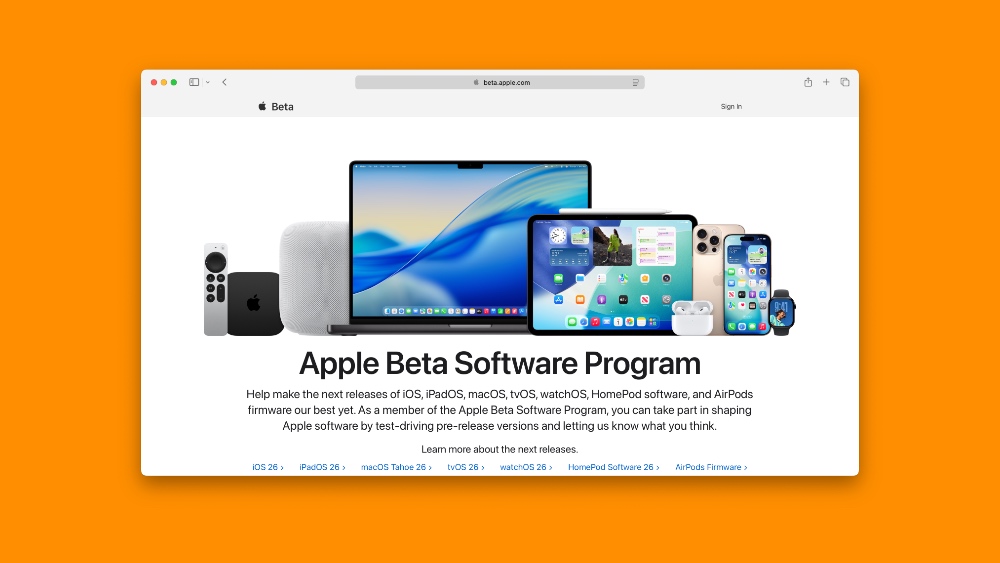
Signing up is easy, and all you have to do is go to beta.apple.com using Safari on your iPhone, iPad, or Mac. Once the website has loaded up, select Sign In, and then sign in using your Apple Account, the same one which you are using on your HomePod.
Enable and Download HomePod Software Update 26 Public Beta
Step 1. Launch the Home app on your iPhone, iPad, or Mac.
Step 2. Select the ‘three dots’ option at the top.
Step 3. Now select Home Settings.
Step 4. Scroll down a little and open Software Update.
Step 5. Now open HomePod Beta Updates and select the new Software Update 26 Public Beta.
Step 6. If you have multiple HomePod speakers, you have to select which HomePod you want to test the beta on.
The update may take a while to download and install. It’s best that you do not use your HomePod when the installation is in progress.
Once everything is complete, you can start using your HomePod normally, with no new apparent features in the new 26 Software Update whatsoever.
If you’re interested in testing out the developer beta instead, which isn’t any different from the public beta, you will find all the necessary details posted here.
The only advantage of installing the developer beta is this: you get access to new updates slightly earlier.




