


iOS 26 and iPadOS 26 public beta 1 is now available for download, and here’s how you can install it on iPhone and iPad right away.
iOS 26 and iPadOS 26 Public Beta is Officially Here and Anyone with a Compatible Device Can Download and Install it Right Away
Though the developer beta is absolutely free to download, the public beta makes onboarding way easier and arrives at a time when the software is stable enough for daily use, thanks to the recent release of beta 4.
Despite the convenience iOS 26 and iPadOS 26 public beta brings with it, you still have to follow the same checklist as the developer beta before you install it on your iPhone and iPad.
Check if Your Device is Compatible
You have to make sure your iPhone and iPad is compatible with iOS 26 and iPadOS 26.
These are the iPhone models compatible with iOS 26:
- iPhone 16, iPhone 16 Plus
- iPhone 16 Pro, iPhone 16 Pro Max
- iPhone 16e
- iPhone 15, iPhone 15 Plus
- iPhone 15 Pro, iPhone 15 Pro Max
- iPhone 14, iPhone 14 Plus
- iPhone 14 Pro, iPhone 14 Pro Max
- iPhone 13, iPhone 13 mini
- iPhone 13 Pro, iPhone 13 Pro Max
- iPhone 12, iPhone 12 mini
- iPhone 12 Pro, iPhone 12 Pro Max
- iPhone 11, iPhone 11 Pro, iPhone
These are all the iPad models compatible with iPadOS 26:
- iPad Pro (M4)
- iPad Pro 12.9‑inch (3rd generation and later)
- iPad Pro 11‑inch (1st generation and later)
- iPad Air (M3)
- iPad Air (M2)
- iPad Air (3rd generation and later)
- iPad (A16)
- iPad (8th generation and later)
- iPad mini (A17 Pro)
- iPad mini (5th generation and later)
Backup Everything Now
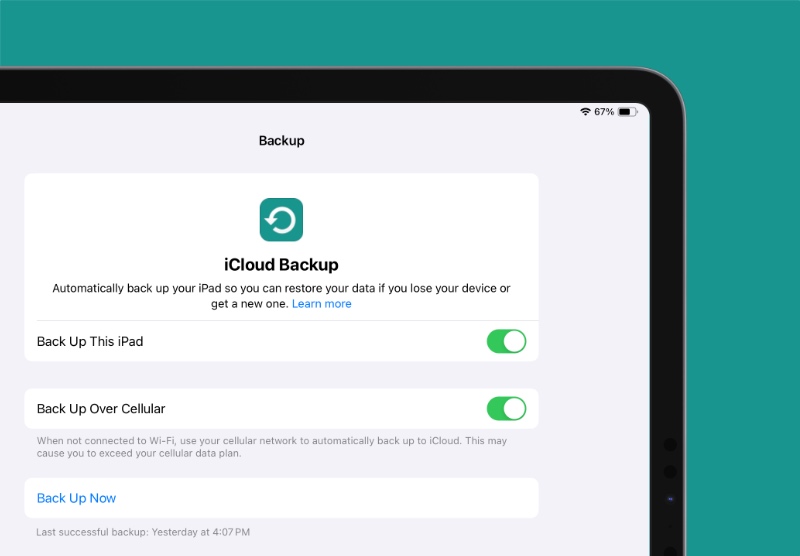
Though this doesn’t have to be said, take a backup of everything using Finder or iCloud right away. If something goes wrong, you’ll have your data safe and secure, and something to go back to.
Sign up for the Public Beta
Although I published a step-by-step tutorial on how to sign up for the public beta here, but if you still left that part for the very last minute then let me give you a short version of it.
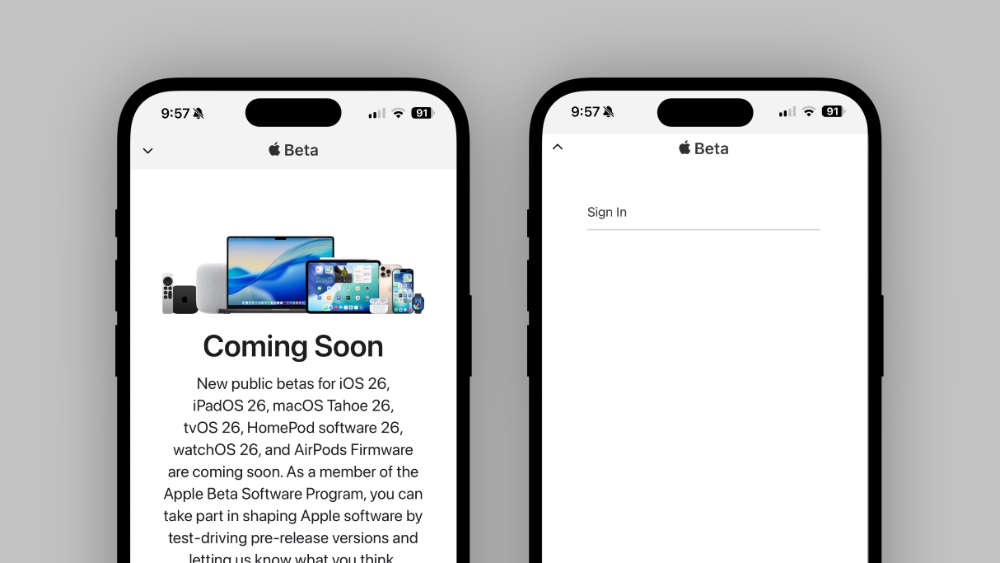
Using Safari, go to beta.apple.com, and sign in using your Apple Account which you are currently using on your iPhone and iPad. Once you do that, your device is set to receive public beta updates.
Free up a Lot of Storage Space
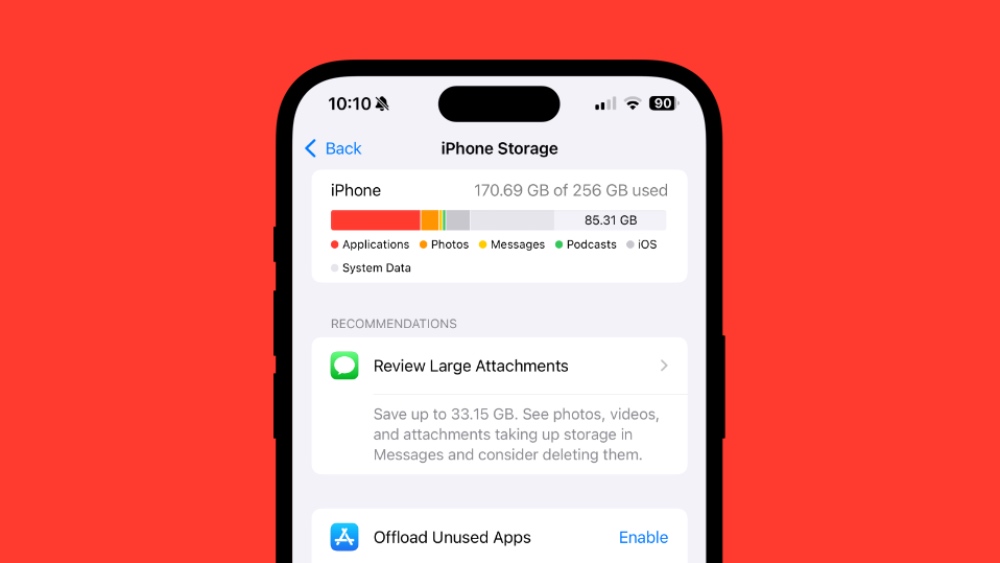
In order to download the iOS 26 or iPadOS 26 public beta, you should have at least 15GB of free space on your iPhone and iPad.
Go to Settings > General > iPhone/iPad Storage, and see which thing is taking up the most storage. You may have to delete some stuff off your device in order to make room.
Enable iOS 26 and iPadOS 26 Public Beta
Step 1. Launch the Settings app.
Step 2. Tap on General.
Step 3. Tap on Software Update.
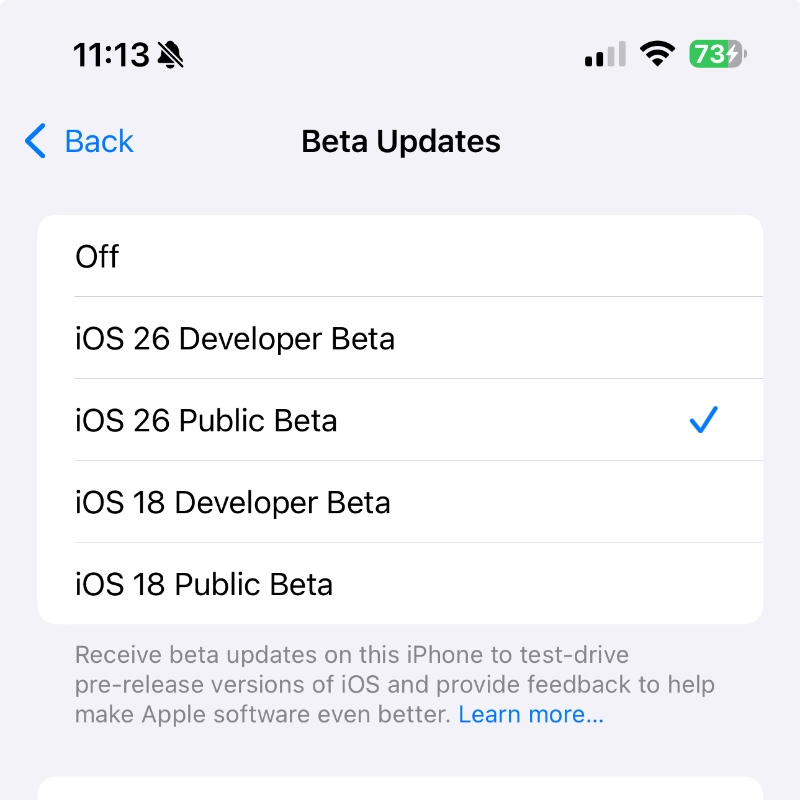
Step 4. Tap on Beta Updates.
Step 5. Select iOS 26/iPadOS 26 Public Beta option.
Download and Install iOS 26 and iPadOS 26 Public Beta
Step 1. Launch Settings.
Step 2. Tap on General.
Step 3. Open Software Update.
Step 4. Wait for the page to refresh and iOS 26/iPadOS 26 public beta will show right up.
Step 5. Tap on the Update Now button to begin download and installation.
Downgrade Back to iOS 18/iPadOS 18?
A lot of people might not like using the iOS 26 and iPadOS 26 beta, and if you are one of them, then you may want to downgrade back to iOS 18 or iPadOS 18.
You will find the necessary tutorial posted here.




