


watchOS 11.6 software update, the full and final version, is now available for download and install on Apple Watch with bug fixes.
Apple Watch Receives New Software Update – watchOS 11.6 Now Available for Download and Install
Believe it or not, we’re just a couple of months away from the release of watchOS 26.
But before that happens, Apple is releasing the final updates to the watchOS 11 software, which means today we have a new one to download, dubbed watchOS 11.6.
Those who have downloaded and installed watchOS 11.6 RC know exactly what this update brings to Apple Watch. But if you are new, then let me catch you up real quick – it’s a bug-fix update with security patches too.
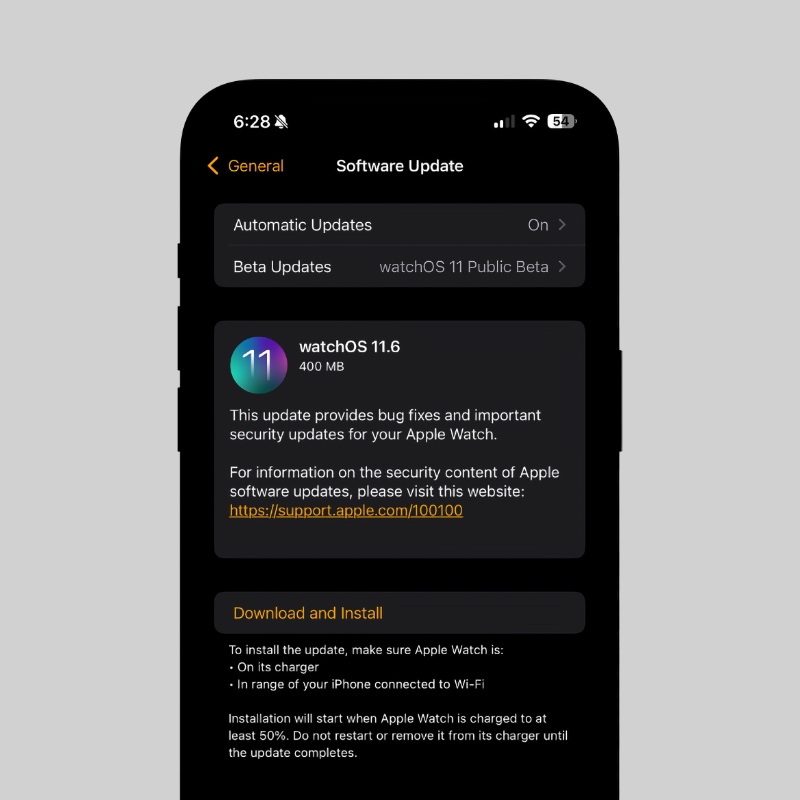
This update won’t add new features to your Apple Watch, which is fine given it’s a stability update.
In order to download watchOS 11.6 on Apple Watch, you have to follow the exact same steps you always have, but I’ll walk you through it all anyway:
- Make sure your iPhone and Apple Watch are connected to the same Wi-Fi network.
- Launch the Watch app on your iPhone.
- Go to General > Software Update.
- Now tap on Update Now when watchOS 11.6 shows up.
watchOS 11.6 has build number 22U84.
Just like before, the update will download and then install on your Apple Watch. The whole thing may take a while, which is absolutely normal when it comes to watchOS updates.
I usually recommend installing watchOS updates overnight, but if you really have nothing better to do and find yourself sitting at a desk for the next half an hour, then why not update your Apple Watch to the latest software?
Though all eyes are on watchOS 26, I’m going to miss watchOS 11. The UI has mostly remained unchanged since the release of the original Apple Watch, and Liquid Glass is going to revamp things by a huge margin.
I’m sure a lot of users are going to resist the change first, but eventually it will grow on them, because it actually does look really nice.




