

You now have the option to link your email address to your WhatsApp account for an extra layer of security on iPhone.
How to Add Your Email Address to WhatsApp in Order to Recover a Locked Account Faster
Two-step verification is always a great way to keep your WhatsApp account secure. However, you can take security one step further by linking your email account with WhatsApp as well.
This is extremely important, because if you’re ever locked out of your account, that email address ensures you get back into your communications as quickly as possible.
Here’s what you have to do in order to link your email address with your WhatsApp account on iPhone:
Step 1. Launch WhatsApp on your iPhone.
Step 2. Now tap on the Settings button at the bottom.
Step 3. Find Account and tap on it.
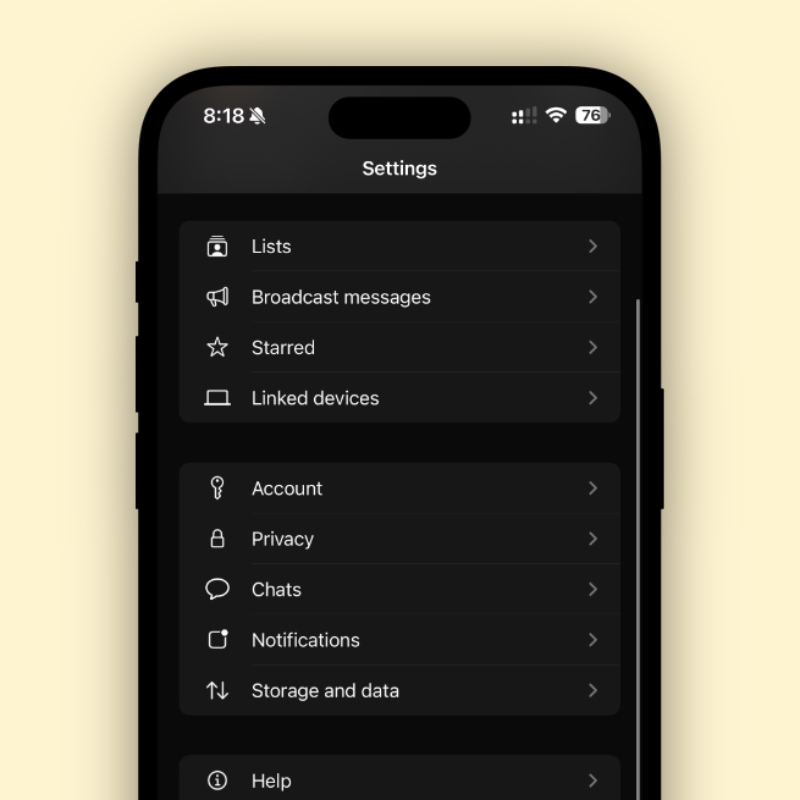
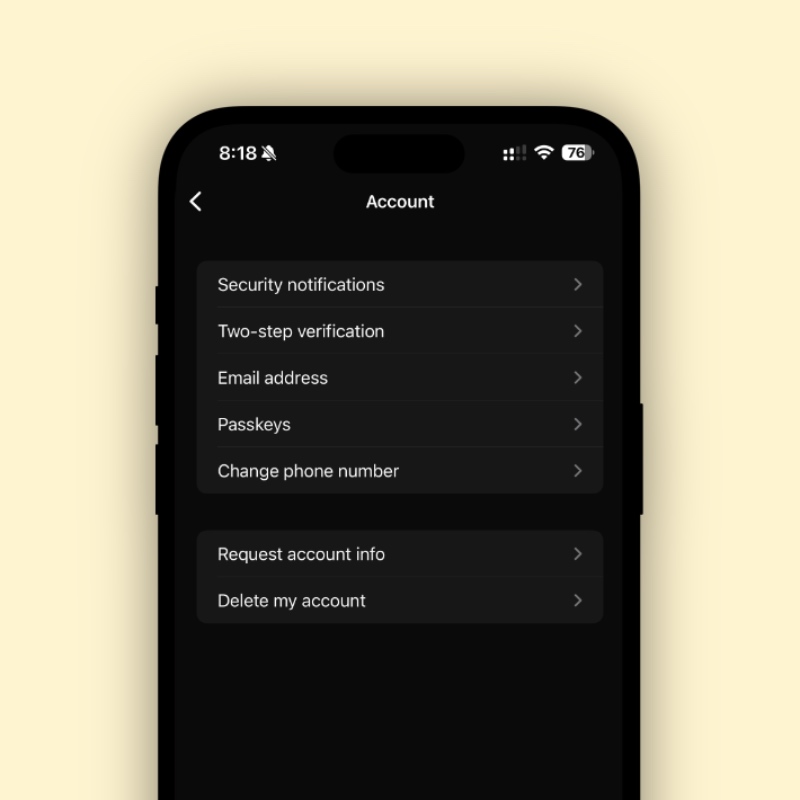
Step 4. Now open ‘Email address’ and follow the process in order to associate and verify your address with WhatsApp.
No matter the capacity in which you use WhatsApp, I highly recommend associating your email account with it. If ever you’re locked out of your account, that email address ensures you can log back in as quickly as possible.
Two-step verification is a no-brainer at this point, and everyone should enable it too. It only takes a few seconds to set up, and once you’re done, no one will be able to log into your account without the security code you’ve set up.