


Your Mac has a built-in Background Sounds feature that plays the sound of rain, streams, fire, and more. Here’s how to use it.
Your Mac has Built-in Background Sounds, Allowing You to Focus, Relax or Just Unwind – Here’s How You Use it
The iPhone and iPad have a built-in feature called Ambient Music which helps you relax and focus on a task with an excellent playlist of carefully crafted tracks.
Not only that, your HomePod can transform into a white noise machine too, allowing you to focus on the task at hand, or just relax before going to sleep.
On the Mac, there’s apparently no such thing, unless you dig a little deeper into macOS.
Hidden deep inside the Accessibility options is a feature called Background Sounds. It allows you to play a looping audio file to help you stay relaxed and focused, perfect for times when you want to block out the outside world and relax.
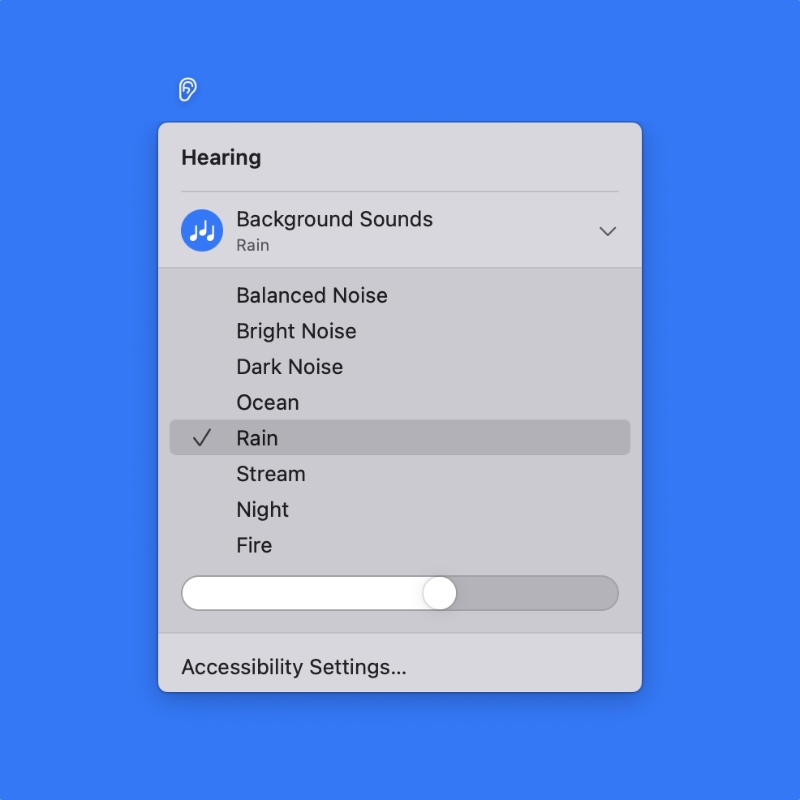
The feature includes the following sounds you can relax to:
- Balanced Noise
- Bright Noise
- Dark Noise
- Ocean
- Rain
- Stream
- Night
- Fire
Let me walk you through the setup process so you don’t have to go inside Accessibility every single time to access it.
Step 1. Launch System Settings.
Step 2. Click on Control Center on the left.
Step 3. Find the Hearing section on the right.
Step 4. You can either add this feature for easy access either in the menu bar or Control Center. Or even both. Check the ones which suit you best.
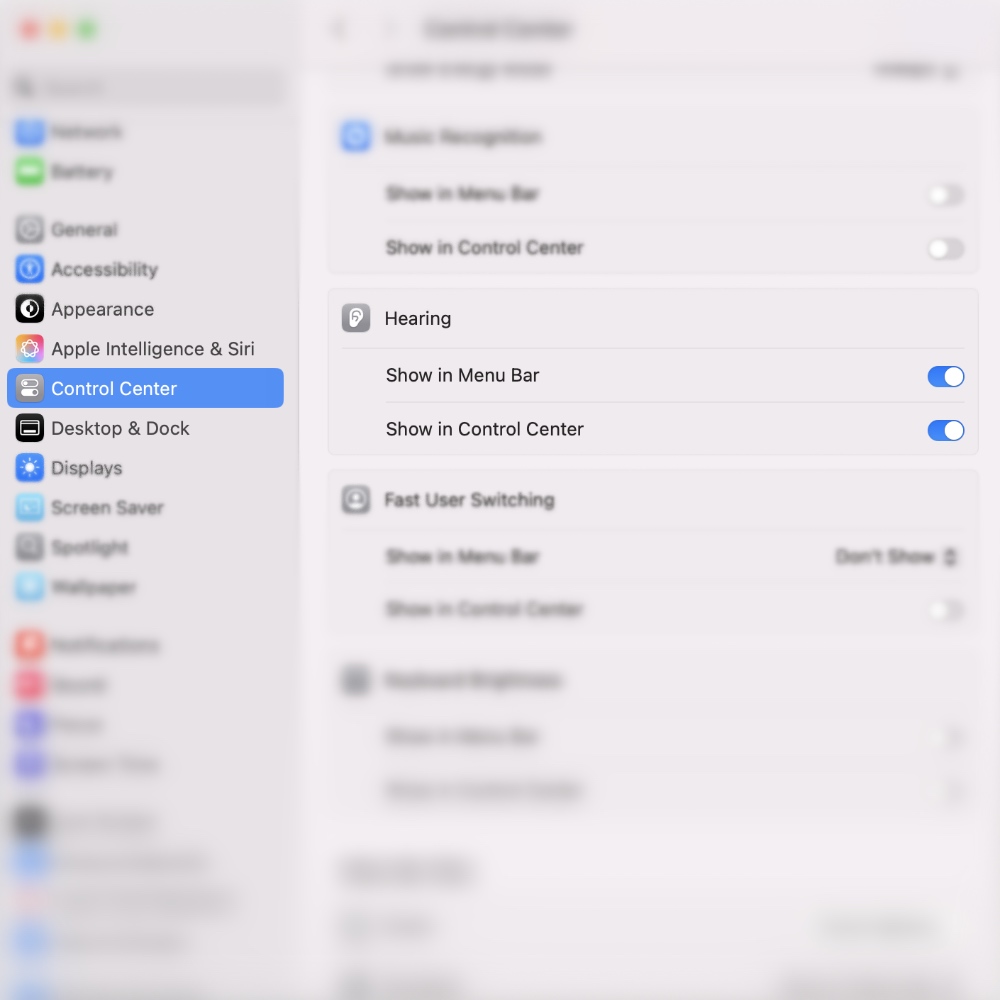
Step 5. If you chose menu bar, you should see an ‘ear’ icon at the top of the display immediately. If you chose Control Center, then click on the Control Center icon and you’ll see an ‘ear’ there.
Step 6. Click on the ‘ear’ icon and then click on Background Sounds and the default Rain sound will immediately start to play. You can adjust the volume of the sound using the slider at the bottom.
Now that you know how to use it, there is one thing you should check out that’s important in the Accessibility section.
You can access and view this feature in Accessibility by going to System Settings > Accessibility > Audio > Background Sounds. Once here, you’ll see an option that turns off Background Sounds when your Mac is at the Lock Screen or in Scree Saver mode.
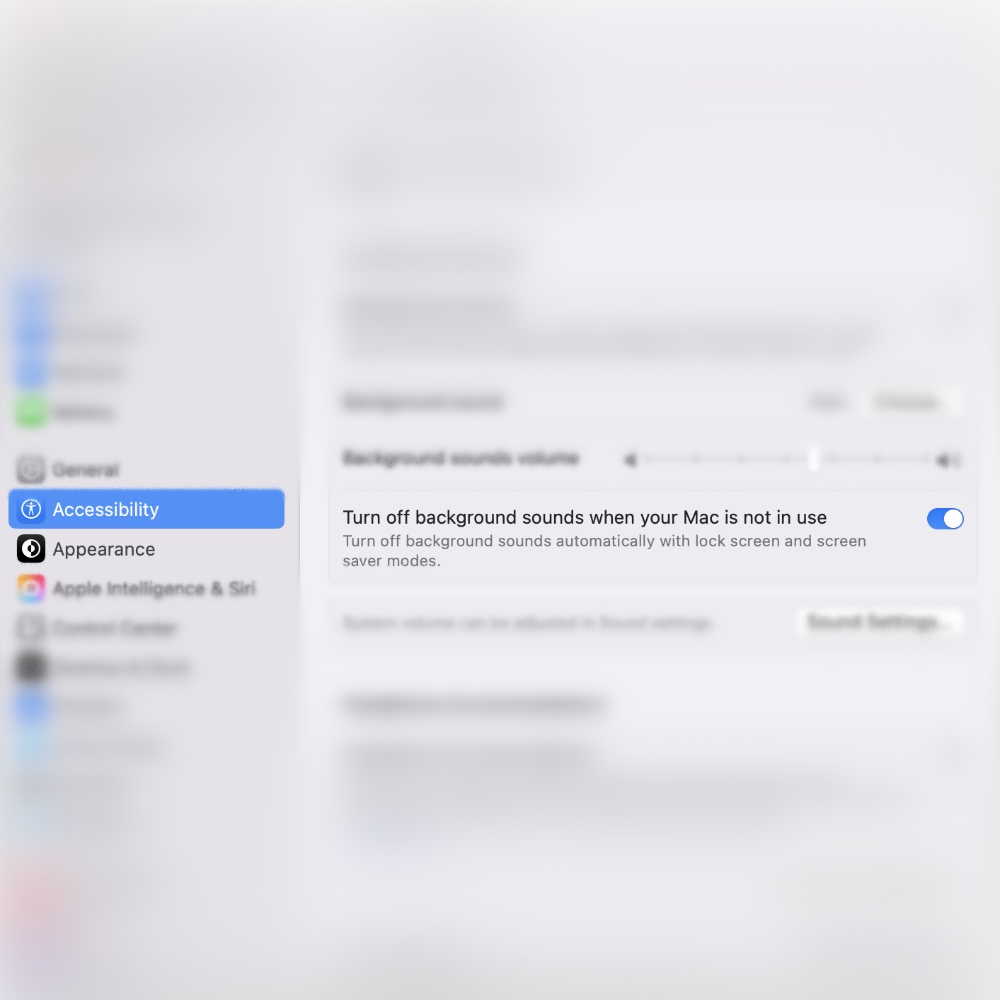
It’s entirely up to you whether or not you want to use this toggle switch. I’m pointing this out because it’s a part of this feature.
The cool part is, you don’t need headphones in order to use this feature either. It works absolutely fine on your Mac’s built-in speakers.




